As an Amazon Associate, we earn from qualifying purchases. Some links on this site are affiliate links at no extra cost to you. Our recommendations are based on thorough research and editorial judgment.

How to Store a Charging Cable Without Damaging It

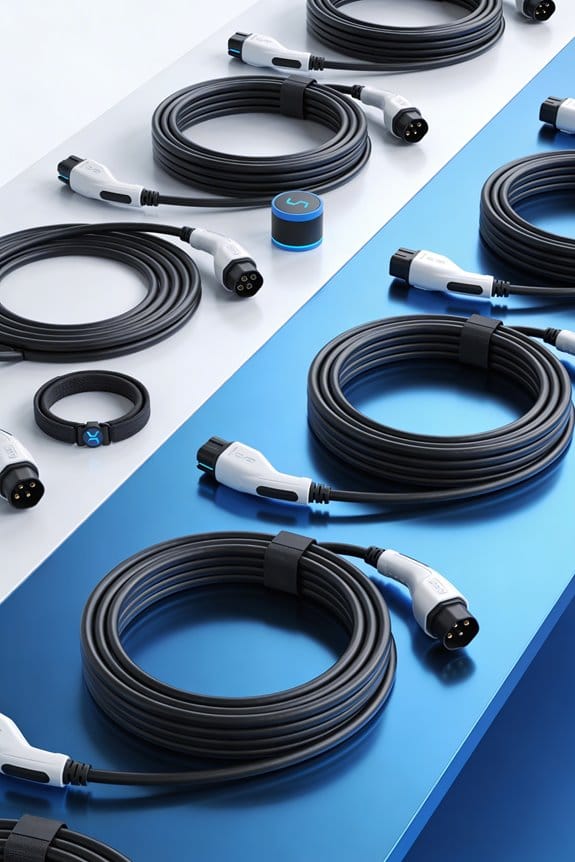
We start by making a loose figure‑eight coil, keeping each loop about an inch wide and leaving space for a finger between turns. We tuck the loose ends into the coil’s center, then secure the loops with a Velcro strap or magnetic tie, avoiding tight knots. We place the coiled cable in a soft pouch, sock, or a small hard case that won’t press on the jacket. We store the case in a cool, dry spot, away from heat and moisture. Follow these steps and you’ll keep cables safe while we show more tricks.
Key Takeaways
- Coil the cable loosely in ~3‑inch diameter circles, keeping loops relaxed and leaving a finger‑wide gap between turns.
- Use a figure‑eight motion or soft Velcro strap to secure the coil without tight knots or sharp bends.
- Reinforce connectors with strain‑relief sleeves or heat‑shrink tubing to protect against stress at plug ends.
- Store the coiled cable in a padded case, waterproof pouch, or dedicated slot with a soft interior to prevent crushing.
- Keep the storage environment cool (15‑25 °C) and dry (≤50 % humidity) and rotate cables periodically to avoid prolonged stress.
Coil a Charging Cable Correctly – Step‑by‑Step
You may be interested


Ever tangled up a charging cable and felt the frustration? You’re not alone—those twisted knots can damage the wires and make it a pain to pull out when you need it.
When you coil a charging cable correctly, you protect it from wear and keep it tidy. We start by holding one end in our hand and applying gentle tension. Then we use wrist rotation to form a loose circle. Follow these steps:
- Grab the connector and let the cable hang.
- Rotate the wrist, creating a loose loop about three inches in diameter.
- Keep the loop loose; avoid tight winding.
- Tuck the loose end into the middle of the coil.
- Secure the coil with a Velcro strap or a small clip.
- Use a figure‑eight motion if you need extra space.
- Do not knot the cable.
- Store the coil in a protective case.
These actions reduce internal stress and keep the cable ready for use.
Honestly, a loose coil is far better than a tight knot that can fray the inner strands. Try this: give the cable a gentle pull before you start coiling so the tension feels just right. You’ll notice the difference instantly, and the cable will last longer.
Fair warning: if you keep winding it too tight, you’ll end up with a weak spot that might break later. Keep the loops relaxed, and you’ll avoid that hassle.
How to Coil a Charging Cable Without Twists
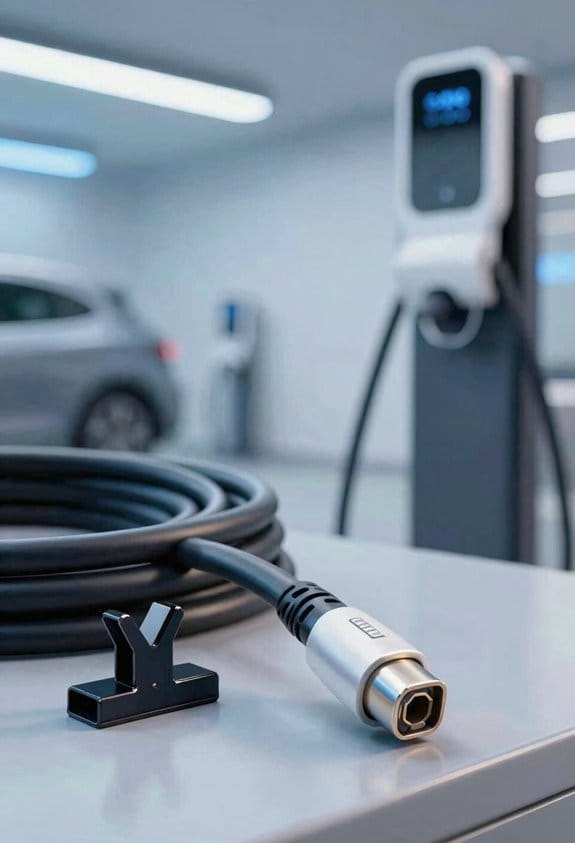
Ever notice how your charging cable ends up all twisted after a few weeks of use? It’s annoying, and it can wear the cord out faster than it should. I’ve tried a few tricks, and the one I’m sharing now keeps the cable neat without any nasty kinks.
First, grab the connector end and let the other side dangle. Pull the free end straight, then start looping the cord over your wrist, then under it, making a loose figure‑eight. Keep each loop about an inch wide—no tight bends, just relaxed circles. When you finish, tuck the last bit of the cord into the middle of the coil so it stays in place.
Frankly, the trick is to keep the loops loose and use a soft wrist wrap if you have one. It helps the loops stay together without squeezing the cable. Also, avoid pulling the cord tight; a gentle pull is all you need. If you want extra security, a Velcro strap can hold the coil without any hassle.
- Use a soft wrist wrap to hold the loops together.
- Avoid pulling the cable tight.
These steps give you a tidy, twist‑free coil that’s ready to go whenever you need it. Got any other cable‑care hacks you swear by? Let’s hear them!
Choose the Right Protective Case for Everyday Travel
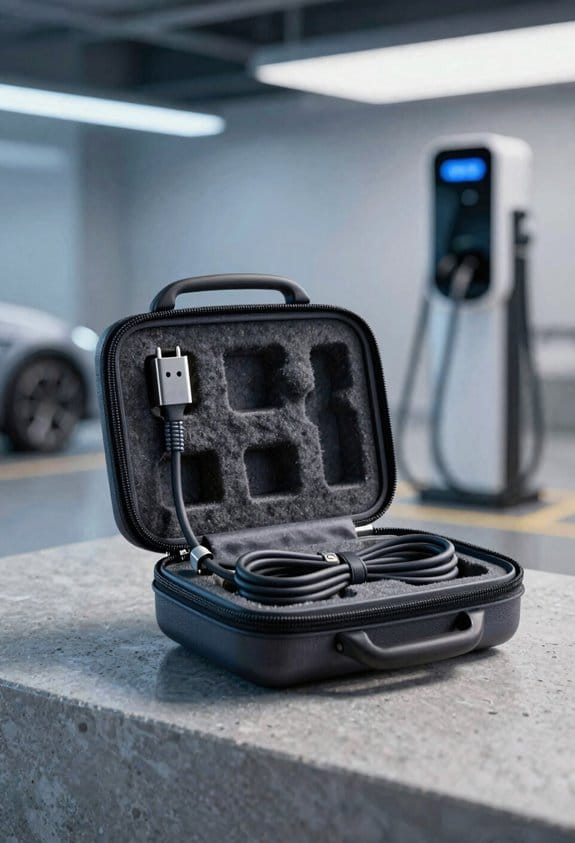
Ever had your cable get knocked around in a backpack and end up with a frayed end? It’s a tiny hassle that can ruin a whole day’s work. I’ve tried a few different options and settled on two that keep things safe without adding bulk.
Compact hardcases
- The rigid shell stops crushing.
- Small size fits pockets or laptop bags.
- Snap‑fit lid holds the cable snugly.
Waterproof pouches
- A sealed zip keeps moisture out.
- Flexible material adapts to any shape.
- The transparent front lets you see the cable at a glance.
Frankly, a smooth interior makes a huge difference—no scratches, no worries. Pick a case with a secure closure like a Velcro strap, and you’ll feel confident it won’t pop open mid‑flight. Test the fit before you head out; the cable should sit without bending, and you’ll avoid those awkward adjustments on the go.
Try this: keep the case in a dedicated compartment of your bag. That way it stays still, and you won’t have to fish it out every time you need the cable. A little organization goes a long way toward hassle‑free travel.
Do you prefer a hard shell or a soft pouch? Either way, you’ll get reliable daily protection without the extra weight.
Recommended Products

The External Hard Drive includes both USB-C and USB-A Cables to make your out-of-box experience great. Ready for any USB-C or USB-A ports on your computer, laptop, or other systems with USB support. Full USB 3.2 Speeds up to 5MBs.

Fits 11–11.6 Inch Chromebooks and Laptops - Designed to fit most 11–11.6 inch Chromebook models and compact laptops up to 11.8” in length. Use it as a Chromebook sleeve, laptop carrying case, student messenger bag, or always-on protective cover. Designed for K–12 classrooms and 1:1 device programs.
Fits 13–14 Inch Chromebooks and Laptops - Designed to securely fit most 13 to 14 inch Chromebooks and laptops up to 13.6” in length. Use it as a Chromebook sleeve, laptop carrying case, student messenger bag, or always-on protective cover. Designed for K–12 classrooms and 1:1 device programs.
DIY Storage Hacks for Charging Cables: Cloth Pouches, Socks, Repurposed Containers
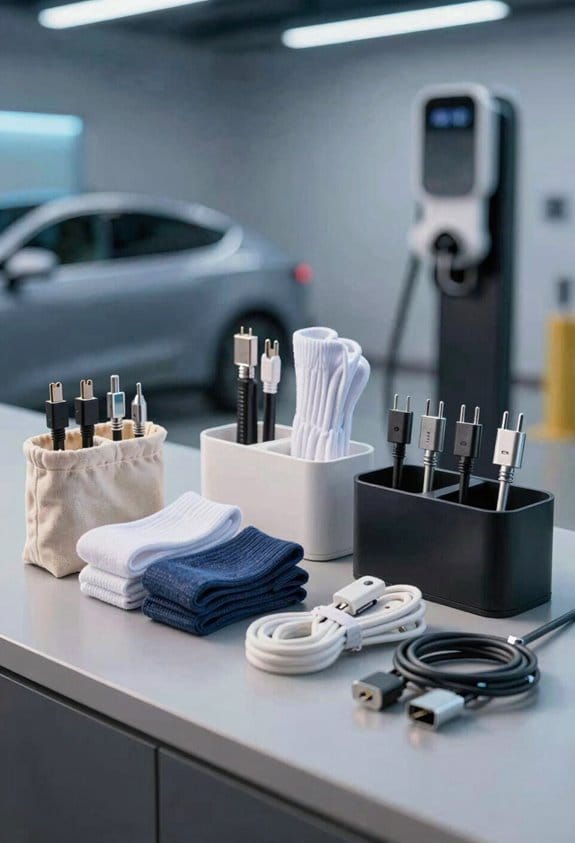
Ever tangled up your charger cables in a drawer and wondered if there’s a simpler way to keep them neat? I’ve tried a few tricks that use stuff you already have at home, and they work better than you might think.
Fabric pouches – Grab an old T‑shirt or a pillowcase, cut a small rectangle, and stitch the sides, leaving a top slit. Slip the coiled cable inside and fold the flap over. It’s like a tiny pocket that keeps the jacket and connectors safe without any extra cost.
Sock sleeves – A clean cotton sock does the job nicely. Pull the cable through, then twist the sock to hold the coil. The sock’s stretch keeps everything snug, and you can toss it straight into a drawer.
Repurposed containers – A plastic food‑storage box can be a mini charging station. Use cardboard pieces to make dividers, then pop each cable into its own little compartment. This stops them from rubbing against each other and getting worn down.
- Keep each coil loose, not tight.
- Label each pouch or sleeve if you have many cables.
- Store the containers in a drawer away from sharp objects.
These simple hacks protect the jacket and connectors without extra cost. Try this: keep a small bag of zip‑tie strips nearby for any extra cords that need a quick fix.
Do you have any other everyday items that work well for cable storage? Let’s swap ideas!
Recommended Products

FIND FOCUS AT WORK, HOME OR ANYWHERE: Evolve3 85 noise cancelling headphones feature Jabra Advanced ANC, which adapts to your surroundings to block distractions. Uniquely works for calls and music so you can focus no matter what’s going on around you.

READY FOR THE LONG HAUL: carry-on compatible and backcountry ready; ActivZone back panel for all-day comfort and removable waist belt for travel; weatherproof cover included

Xtreme Sight Line: 1000 Denier Cordura Nylon fabric cut to 25 linear yards (900 inches) from a 59/60" wide roll
Control Temperature & Humidity to Protect Charging Cable Jackets
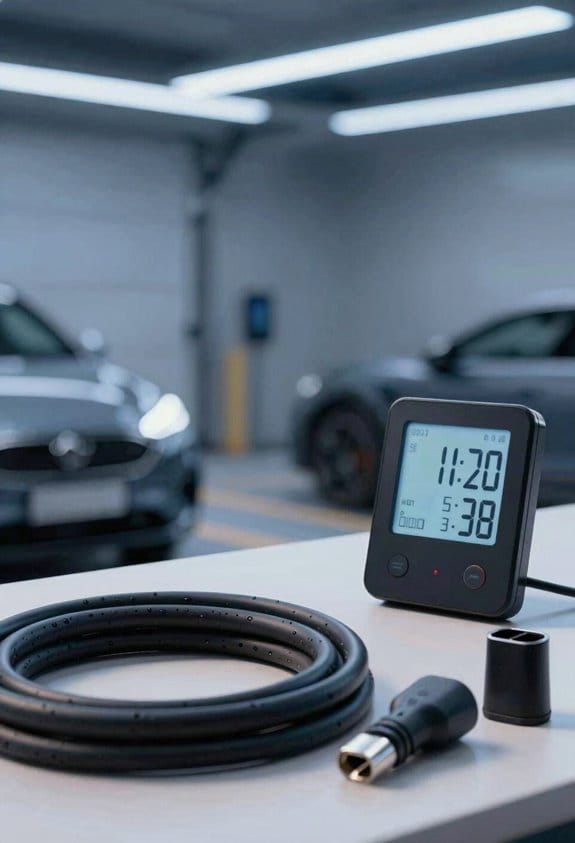
Ever noticed how your charging cables get stiff and crack after a few months in the garage? It’s usually the heat and moisture sneaking in when you’re not looking. Keeping them cool and dry can make a huge difference, and it doesn’t have to be a hassle.
First, pick a spot that stays out of the sun and away from steam. A shelf in a closet works great, especially if you’re not a digital thermometer nearby. Aim for a temperature between 15‑25 °C (60‑77 °F); that’s the sweet spot for most rubber jackets. A hygrometer will tell you the humidity level—try to keep it under 50 %.
Here’s the trick:
- Store cables in a sealed box with a desiccant pack.
- Avoid radiators, windows, or kitchen corners.
- Check the thermometer and hygrometer weekly.
If you notice the desiccant feels damp, swap it out right away. It’s a tiny step, but it stops moisture from soaking into the cable coating.
Honestly, I’ve seen a friend’s old phone charger turn brittle after a summer near the heater. After moving it to a cooler shelf and adding a small humidity monitor, the cable stayed flexible for months. It’s a simple habit that pays off.
Worth knowing:
- Keep the box closed when you’re not using the cables.
- Rotate the cables once in a while so no spot gets too warm.
Reinforce Connectors With Sleeves, Heat‑Shrink Tubing, and Bend Protectors
Ever notice how your connectors start to fray after just a few months of use? It’s the small stresses that add up, and before you know it, the whole cable’s at risk. I’ve found a few easy steps that keep things solid without a lot of hassle.
First, add a strain relief right near the plug. It takes the bend off the cable and stops the pull‑apart feeling you get when you tug on it. Then slide a sleeve over the metal contacts—think of it as a little cushion that also keeps dust out. After that, grab some heat‑shrink tubing and wrap it around the junction. Heat it up until it hugs the area snugly, giving you a seal that resists abrasion. Finally, pop a bend protector onto the sharpest curve; it stops the cable from kinking when you store it.
Steps to reinforce:
- Install strain reliefs.
- Slip on connector sleeves.
- Heat‑shrink tubing.
- Add bend protectors.
Frankly, the whole process takes less than ten minutes and you’ll notice the difference right away. Worth knowing: a little extra material now saves you from costly replacements later. Got a favorite brand of heat‑shrink tubing? Let me know what works best for you.
Recommended Products

XT60 Connectors for Reliable Connection – Features XT60 connectors designed for secure, high-current handling, ensuring stable power transfer to RC vehicles, drones, battery packs, and high-performance electronics.

Balances electrical, physical and chemical properties for various industrial and military applications

4-1 Ratio - shrink to 1/4 of its original diameter, double wall lined with glue inside for a marine grade waterproof seal, with anti stick tape no tacky interior, diameter 1-1/2" (1.6 inch) (40 mm), 80 feet long, please see diameter chart(picture 3).
Secure Cables Quickly With Velcro Straps and Magnetic Ties
Ever tangled in a mess of cables after a DIY project? You’ve probably spent more time untangling than actually working. After you’ve slipped sleeves and heat‑shrink over the connectors, the next thing to do is keep the whole cable tidy. I like to coil the cable loosely and then lock it down with a quick strap. Make sure the strap is wide enough so it doesn’t bite into the jacket.
Try this:
- Pull the strap around the coil.
- Clip the ends together.
- Trim any excess.
If magnetic ties are more your style, just follow the same coil method and snap the magnetic ends together. They hold firm without tightening too much.
- Use one strap or tie per cable.
- Keep the strap away from sharp edges.
- Store the secured coil in a drawer or pouch.
These simple steps keep your cables neat and protect them from wear.
Fair warning: a loose strap can still snag, so double‑check that it’s snug but not tight.
Do you have a favorite way to keep your cords organized? Give it a try and see how much smoother your workspace feels.
Recommended Products


Designed for small cables such as USB adapter cables for mobile phones and earbud cords for portable music players

Organize Multiple Cables Using Boxes, Dividers, and Label Systems
Ever found yourself untangling a knot of cords, only to realize you’ve got no idea where each one belongs? I’ve been there, and the trick is to give each cable its own little home.
Box selection – Pick clear or opaque boxes that fit your drawer or shelf.
Dividers – Slip in cardboard or plastic separators to make individual slots.
Label system – Write the cable type on a sticky tag and stick it on each slot.
Frankly, adding a splash of color makes the whole thing faster: red for power, blue for data, green for audio. It also helps with inventory tracking when you count slots each month.
- Place each coil in its own compartment.
- Secure the lid with a rubber band if needed.
- Keep a master list on paper or a simple spreadsheet.
Try this: once you’ve set up the boxes, give each slot a quick glance every week. You’ll spot missing pieces before they become a problem, and the whole setup stays tidy, visible, and safe from accidental damage.
What’s the first cable you’ll tuck away?
Recommended Products

8-PACK OF CARTS: This bundle includes eight (8) individual charging carts.
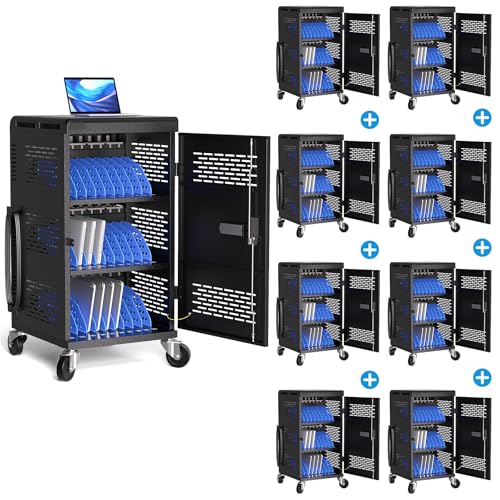
8-PACK OF CARTS: This bundle includes four (8) individual charging carts. Fully Assembled Charging Cart: This large charging station will arrive to you assembled out of the box! All you need to attach are the wheels and wire racks, then you can charge 30 devices in this mobile computer charging storage cart.

Fully Assembled TV Console: The floating tv stand is pre assembled before delivery, you only need to install it on the wall by refering the instruction. Weight Capacity: 110 LBS. To safeguard its oversized dimensions, this premium product is split into two specialized packages for secure shipping
Avoid Sharp Bends, Knots, and Over‑Coiling
Ever noticed how a cable that’s been tossed around starts fraying after a few months? When you bend it too sharply, tiny stress points form and the wires inside can crack. Keep every bend gentle and skip tight loops—that’s the secret to long‑lasting strain relief and passing normal stress tests.
Try this:
- Make loose circles, not tight coils.
- Use a figure‑eight motion to keep twists out.
- Don’t tie knots; they concentrate pressure.
- Keep coils loose enough to slide a finger between turns.
- Secure with a Velcro strap, not a tight rubber band.
These steps stop internal fatigue and keep the outer jacket intact. By following them, you protect the cable’s lifespan and maintain reliable charging performance.
Frankly, a little extra care now saves you from a broken charger later. It’s a simple habit that makes a big difference in everyday use.
Give it a go and see how much longer your cables last. Ready to try it out?
Regular Checks to Keep Cables Working Longer
Ever notice how a charging cable that worked fine yesterday suddenly starts acting up? It’s frustrating, especially when you’re in a rush. I’ve found a simple routine that catches problems early, so you don’t end up stuck with a dead phone or a flaky connection.
First, pull up your usage logs and look for any frayed spots or loose connections. A quick visual check can reveal a lot. Then, inspect the connector: bent pins, corrosion, or a loosened housing are red flags. If anything looks off, swap the cable out before it gives out.
Frankly, a few easy steps keep your cables healthy:
- Check for cracks or exposed wire.
- Test charging speed with a known device.
- Verify the plug fits snugly.
Keep a log of each inspection and store it with the cable case. A small flashlight helps you see hidden damage, and the habit takes just a few minutes each month.
Worth knowing: using a protective sleeve can reduce wear on the outer sheath, and keeping cables away from sharp edges prevents accidental bends. Also, avoid looping them tightly; give them a relaxed curve when you store them.
Following this routine means you’ll catch issues before they cause downtime, extending the life of your cables with minimal effort. Have you tried a regular cable check before? Give it a go and see how much smoother your tech day runs.
Frequently Asked Questions
Can I Store a Cable in a Freezer to Prevent Wear?
We don’t recommend freezing a cable; freeze myths ignore condensation risks, which can seep into connectors and damage them. Instead, keep it cool, dry, and loosely coiled to preserve longevity.
Do Magnetic Ties Damage Cable Shielding Over Time?
We think magnetic ties won’t spark interference, but repeated clamping can cause connector stress, like a tight grip squeezing a flower’s stem, eventually bruising the shielding over time.
Should I Use a Silicone Case for Metal‑Core Cables?
We think a silicone case works well for metal‑core cables because its heat resistance protects the conductors, and the tactile grip keeps you from slipping while you coil or unplug, extending the cable’s life.
Is It Safe to Coil a Cable While It’s Still Warm?
We’d say it’s not safe—warm cables endure heat stress, which can cause insulation breakdown and weaken strain relief. Let them cool, then coil loosely to avoid coil memory and potential damage.
Can I Mix Different Cable Lengths in the Same Storage Box?
We say mix different lengths in one box, treating each coil like a ribbon in a bouquet; it lets space optimization bloom, keeping cords tidy and ready without crowding or bending.