As an Amazon Associate, we earn from qualifying purchases. Some links on this site are affiliate links at no extra cost to you. Our recommendations are based on thorough research and editorial judgment.


How Proper Storage Helps Protect Charging Connectors

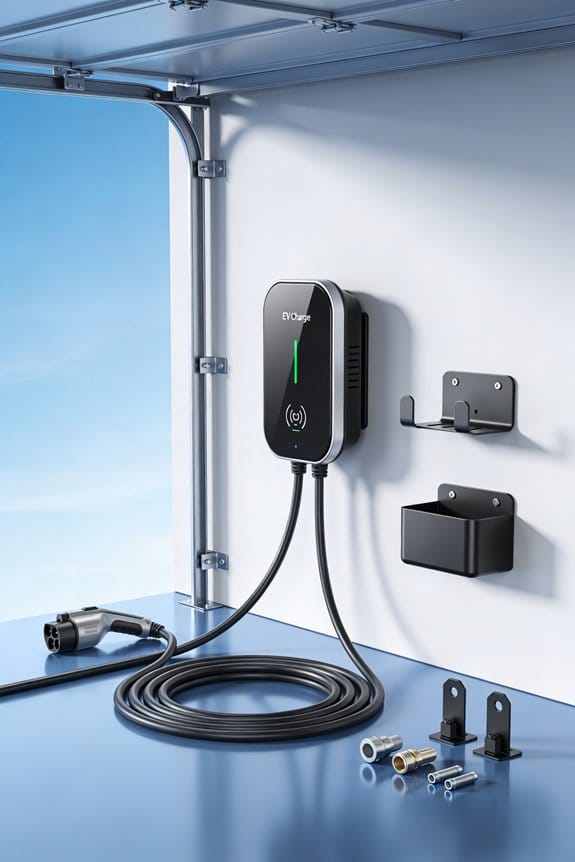
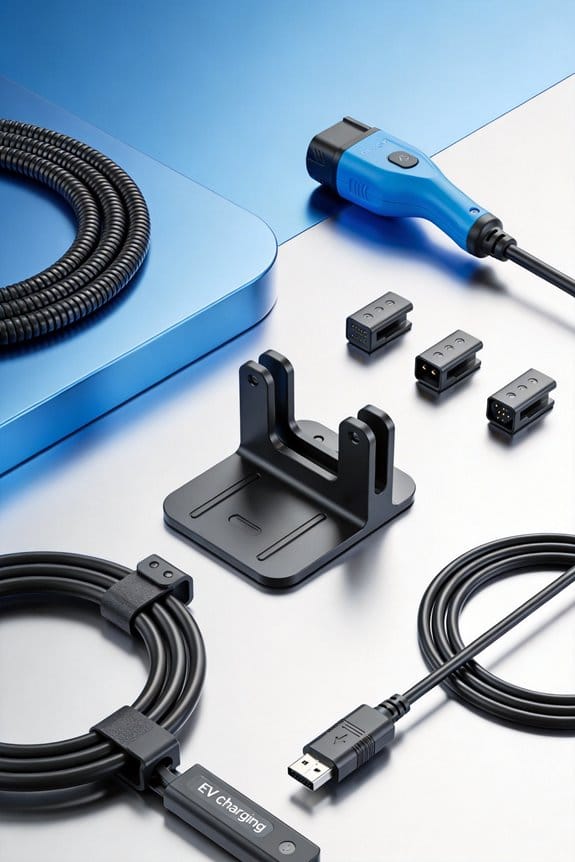
We keep chargers safe by winding cables loosely, using breathable mesh bags, and storing them in a weather‑proof shelter. 1) Coil each cable larger than its bend radius and add a strain‑relief sleeve at the connector. 2) Place coils in drawstring mesh pouches and separate power‑only from data‑transfer cords. 3) Keep the shelter off the floor, add a desiccant packet, and replace it monthly. 4) Inspect visually and test insulation every three months. Follow these steps and you’ll see how proper storage extends connector life.
Key Takeaways
- Store connectors in breathable mesh bags to prevent moisture buildup and corrosion.
- Keep coil diameter larger than the cable’s natural bend radius and coil loosely to avoid kinks and pin wear.
- Use strain‑relief sleeves or clamps at the cable‑to‑connector junction to stop pulling forces.
- Place desiccant packets in the shelter and replace them regularly to maintain a dry environment.
- Separate data‑transfer cables from power‑only cords and label storage locations to avoid accidental misuse.
How Properly Wound Cables Protect EV‑Charging‑Connector Storage
You may be interested


Ever notice how a tangled EV‑charging cable can mess up the connector when you stash it away? I used to just stuff it in a drawer, and the pins would wear out fast.
The trick is to coil the cable in a way that keeps the bend gentle and the stress even. Start by picking a coil size that’s bigger than the cable’s natural bend radius. That way the cable won’t kink, and the connector stays safe.
Next, wind the cable just enough so it holds its shape, but not so tight that you’re creating hard loops. A loose‑enough coil lets the cable sit comfortably without crushing the contacts.
Now, add a strain‑relief sleeve or clamp right where the cable meets the connector. This simple piece stops pulling forces from hurting the pins and keeps the whole assembly stable.
- It reduces pin wear.
- It prevents the cable from flattening under weight.
- It keeps the connector’s contacts clear of dirt.
Try this: each time you store a charger, follow those three steps. You’ll see the connector last longer and work more reliably.
Honestly, it’s a small habit that makes a big difference. Have you tried a similar method with other cords?
Give it a go and see how much smoother your charging routine becomes.
Recommended Products

► SAFETY - A charging cable left on the ground poses significant risks to the user, their family, and pedestrians, leading to trips, falls, and, even more concerning, the risk of electrocution due to cable damage (from heavy or sharp objects, pets, rodents and wear over time, and especially contact with water or rain). The Barkan wall arm protects against these hazards by lifting the cable above head height, concealing most of it inside the mount and shielding it from potential damage.

EV CHARGE CORD COVER - Wraps around your electric vehicle charging cable, offering durable protection against daily wear and tear to keep your car in top-notch condition. Its generous 20ft length reaches home chargers effortlessly, providing ease of use.

Standard 3/4 Inch Spec:This L7504 strain relief cord connector comes in standard 3/4 inch size with straight male structure, built with solid steel body for long-term use. It matches cords within .520 to .730 inch diameter to solve cable pulling and loosening issues for electrical wiring.
How Mesh Bags and Dedicated Compartments Prevent Crushing & Tangling

Ever had your EV‑charging cable look like a tangled mess, or worse, feel squished after a week in the garage?
I’ve tried a few tricks, but the best one is simple: keep each coil in its own drawstring mesh bag and stash those bags in a padded compartment. The mesh lets air flow, so the cable stays cool and dry, while the soft padding stops any crushing. You’ll also notice the cable right away if something’s wrong because the mesh pocket keeps it visible.
Here’s the trick:
- Slip each cable into a breathable mesh pouch with a drawstring.
- Toss the pouch into a compartment that has a layer of soft padding.
- Separate mesh pockets by connector type so you never mix a Type‑2 with a CCS.
- Keep heavy items off the top of the bags—no stacking.
- Breathable pouches protect against moisture.
- Mesh pockets keep tangling at bay.
- Dedicated compartments stop crushing.
Frankly, this setup cuts down on pressure points and stops cables from slipping into tight corners. You’ll spend less time untangling and more time charging.
Try this: after each use, coil the cable loosely, zip the bag, and place it in the padded spot. It takes a few seconds, but the payoff is a cable that’s always ready.
What’s the biggest hassle you’ve faced with your charging gear?
Give it a go and see how much smoother your routine becomes.
Recommended Products

[IDEAL WIRELESS MIC SYSTEM] Incredibly Easy-to-Use 2-Person wireless clip-on mic system that is ideal for Content Creation, Interviews, Vlogging, Mobile Journalism, Live Streaming, Podcasts, Virtual Meetings & More

GENEROUS CAPACITY BUILT FOR TRAVEL: The carry-on backpack boasts a spacious 40/45 L capacity, making it ideal for 3-5 day trips. The versatile design allows this backpack to snugly fit in the overhead bin or under the seat

TEAR-PROOF WESTERN SADDLE COVER— Crafted with extra-durable Textilene mesh and ballistic nylon interior, this tear-proof horse saddle cover withstands the harshest tugs and pulls without easily cracking, tearing, or chipping off.
How to Shield Ev‑Charging Connectors From Weather, Moisture, and Corrosion

Ever notice how your EV‑charging connectors get soggy after a storm, or feel like they’re stuck in a sauna when the sun beats down? Those conditions can rust the metal and make charging a hassle. I’ve learned a few tricks that keep them dry and ready, without spending a fortune.
Pick a solid shelter** – a locked cabinet or a weather‑proof box works best. Look for one with a tight seal and UV‑resistant material** so the sun and rain can’t sneak in. It’s also smart to keep the shelter off the floor; a little stand or shelf stops puddles from touching the connectors.
Add a desiccant – pop a moisture‑absorbing packet inside the shelter. It grabs any stray humidity and keeps the air dry. Check it once a month; if it feels heavy or looks saturated, swap it out for a fresh one.
Store in mesh bags**** – slip each connector into a breathable mesh bag before placing them in the shelter. The bags let air flow while still protecting the plugs from dust and water. This simple step cuts down on moisture buildup and helps prevent rust.
Frankly, a few small habits go a long way.
Try this:
- Choose a shelter with a tight seal and UV‑resistant material.
- Place a desiccant packet inside the shelter to absorb moisture.
- Keep the shelter off the floor to avoid puddle contact.
- Check the desiccant monthly and replace when saturated.
- Store connectors in mesh bags inside the shelter to allow air flow.
Following these steps means your connectors stay clean, dry, and ready for the next charge. Ready to give your EV gear a longer life?
Recommended Products

【Durable Construction】Made from 1.0 mm cold-rolled steel with precision cutting and welding, this EV charger enclosure is built to withstand the elements, ensuring your charging station stays protected all year round.

EV Charger Protective Case: Equipped with a safety padlock and key, this heavy-duty 27.5 lbs box keeps your electric vehicle charger safe and protected from unauthorized access
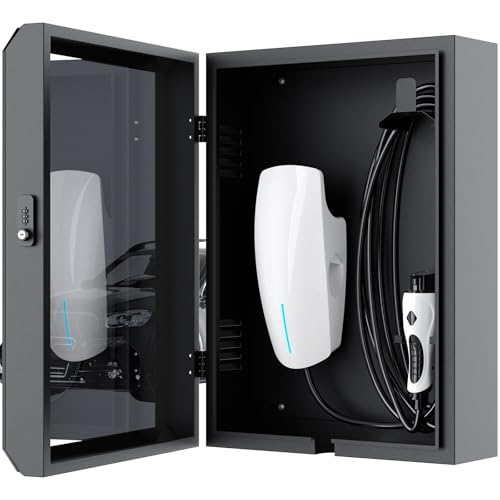
Universal Compatibility: This EV charger cover is not only compatible with Tesla, it is also compatible with most other electric vehicle chargers. Providing solutions for all electric vehicle owners
How to Perform Routine Visual and Electrical Inspections on Stored Connectors

Ever noticed how a dusty, neglected EV‑charging connector can turn a simple charge into a headache? You’ve probably seen a cracked pin or a bit of rust and wondered if it’s worth the hassle to keep them in good shape. Trust me, a quick routine can save you a lot of trouble down the road.
First, give each connector a once visual scan. Look for any cracks, bent pins, or signs of corrosion. A soft brush will sweep away dust—no liquids needed. If you spot a loose housing or a missing clip, make a note of it right away. This step only takes a minute, but it catches the obvious problems before they get worse.
Next up is insulation testing. Grab a handheld megger and set it to 500 V. Place the probes on each conductor and record the resistance. Anything above 1 MΩ means the insulation is solid; lower numbers could signal moisture or damage. It’s a simple test, but it tells you a lot about the connector’s health.
Worth knowing: do this every three months, and you’ll keep your stored connectors ready for action. Here’s the trick for staying organized:
- Visual scan – check for cracks, corrosion, loose parts.
- Clean surface – use a soft brush, avoid any liquid.
- Insulation testing – megger, record readings.
- Document findings – log the date, results, and any actions you took.
Try this: set a calendar reminder for the quarterly check, and keep a small notebook or digital log handy. You’ll soon see a pattern in the data, which makes spotting trouble early a breeze.
Frankly, the effort is tiny compared to the cost of a failed charge or a damaged connector. You’ll feel more confident every time you plug in, knowing the equipment is in top shape.
How to Keep Ev‑Charging Data‑Transfer Cables Safe From Juice‑Jacking

Ever gotten tangled up with a charger that seems to have a mind of its own? You’re not alone—those little data‑transfer cables can turn into a security headache if they’re not handled right. Here’s the trick: keep them away from power‑only cords and add a physical blocker whenever they’re not in use. It’s a simple habit that cuts down on the chance of juice‑jacking.
Separate storage – Store your data‑transfer cables in a dedicated drawer, far from any power‑only cords. A mesh bag works great because it blocks data flow when you’re not using the cable. This little step limits any accidental data exchange.
Use data blockers** – Before you toss a cable away, snap a USB data blocker** onto it. The blocker acts like a shield, stopping any unwanted communication while the cable sits idle. It’s cheap, easy, and it does the job.
Label clearly – Put a “data‑only” tag on each bag or drawer. When you or anyone else sees it, the message is clear: this isn’t a power cable, so don’t plug it into a wall outlet.
Inspect regularly – Give your cables a quick once each week. Look for frayed ends or missing blockers. Spotting wear early means you can replace or fix things before a problem shows up.
Educate users – Make sure everyone who handles the cables knows the difference between power‑only ports and data ports. A short demo or a quick reminder can go a long way in stopping accidental plugs.
Fair warning: if you skip any of these steps, you’re leaving a door open for attackers to slip in. Worth knowing: a little extra care now saves you a lot of hassle later.
Stay ahead of the curve—keep your cables safe and your data safer. Ready to give your charging setup a quick upgrade?
Recommended Products

Tripp Lite SU5000RT4UHV 5000VA / 5kVA / 4500 watt on-line, double-conversion UPS system in a single 4U rack/tower compatible housing

GXT4-6000RT208 IS OBSOLETE THE REPLACEMENT IS GXT5-6000MVRT4UXLN
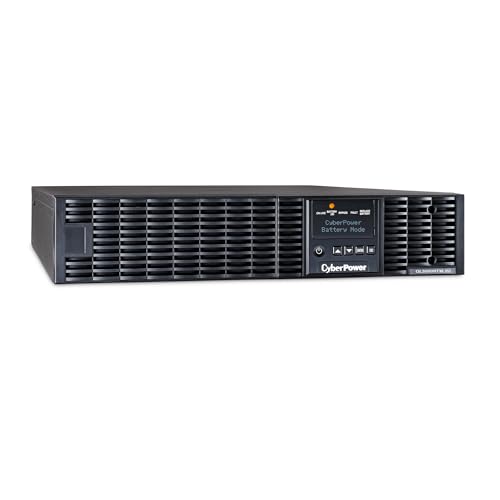
3000VA/2700 Smart App Online Sinewave Battery Backup Uninterruptible Power Supply (UPS) System uses sine wave output to safeguard mission-critical servers, storage appliances, network devices, and telecom installations
How Structured Maintenance Schedules Extend EV‑Charger Lifespan
Ever notice how your EV charger seems to sputter after a few months of heavy use? It’s usually the little things you miss until something breaks. I’ve been tinkering with my own setup for a while, and a simple routine has saved me a lot of hassle. Below is a practical plan you can start using today.
Recommended Products

Bundle Items Include:Nikon Z8 Professional Full Frame Mirrorless 8K Video & Stills Hybrid FX Camera, Nikon NIKKOR Z 28-400mm f/4-8 VR Mirrorless Lens, 64GB Memory Card, EN-EL15c Replacement Battery, External Battery Charger, Soft Bag, Photo Editing Software, Memory Card Reader, 3 Piece Filter Kit, 12" Flexible Tripod, Cleaning Kit, Memory Card Wallet, Hand Strap, Lens Cap Keeper

Drive Faster, Further, and Longer in Minutes: Lithium Rhino 48V 105Ah lithium battery for golf cart with conversion kit allows you to transform your cart with boosted performance, drive range, and zero maintenance for all-day worry-free riding on a single charge. Made with the highest grade A EVE cells for up to 50 miles range per charge and 6000+ Charge Cycle life.

[LAUNCH X431 PAD VII Elite: Does-It-All for Pros] From tricky ECU c0ding to deep full-system reflashing it handles 99% of workshop challenges. >> 13.1" massive display & 8GB+256GB beast-mode specs paired with dual-band WiFi: deliver a silky-smooth workflow instant boot-ups; see every live data stream at a glance and multitask with zero lag! Wrist-strap grip + rugged rubber armor keep it steady in oily hands safe from shop-floor drops. Get this intelligent scan tool step up your work
Predictive maintenance
- Keep an eye on temperature readings; a sudden spike often means a cooling issue.
- Give the connector pins a quick visual check each week for any sign of corrosion.
- Watch the charging curves; anything that looks odd could point to a deeper problem.
Lifecycle forecasting
- Jot down the total operating hours for each charger; it’s easier than you think.
- Compare those numbers to the manufacturer’s life tables to see where you stand.
- When a unit hits about 80 % of its expected life, start planning a replacement before it fails.
Routine checks
- Before you plug in, glance over the cables for any frays or cuts.
- Make sure the firmware is up‑to‑date; a monthly check keeps the software fresh.
- Run a voltage output test every few months to catch any drift early.
Frankly, sticking to this schedule can add years to your charger’s life and cut down on surprise outages. Worth knowing: a little preventive work now beats a costly repair later.
Give it a try and see how much smoother your charging routine becomes. Ready to keep your charger humming longer?
How to Functionally Test Stored EV‑Charging Cables Before Re‑use
Ever found a charger cable gathering dust in the garage and wondered if it’s still safe to use? Before you plug it into your EV, give it a quick once‑up. A few simple checks can save you a lot of hassle later.
Visual check
- Look for bent pins.
- Verify connectors are clean.
Continuity test
- Use a multimeter.
- Confirm each wire reads low resistance.
Battery diagnostics
- Connect the cable to a test battery.
- Measure voltage drop under load.
Connector calibration
- Run the charger’s self‑test mode.
- Adjust pin alignment if needed.
Functional test
- Charge a low‑capacity pack for a few minutes.
- Observe temperature and charge rate.
If any step fails, set the cable aside for repair or replacement.
Give these steps a try and you’ll know whether your stored cable is ready for the road. Got any other tricks you swear by?
Frequently Asked Questions
Can Storage Temperature Affect Connector Data Integrity?
We’ve seen temperature variance and humidity control can warp data pathways, so we keep connectors cool, dry, and insulated—preventing drift, corrosion, and signal loss, ensuring integrity stays crystal‑clear.
How Often Should Mesh Bags Be Replaced?
We recommend replacing mesh bags every 12‑18 months, depending on material durability and wear; regular checks let us spot thinning or tears early, ensuring continued protection for your charging connectors.
Do Uv‑Protected Bags Prevent Cable Degradation?
We’ve found UV‑resistant pouches really do curb cable degradation, especially when they include polymer stabilization; they block sunlight, slowing oxidation, so your connectors stay functional longer.
What Is the Best Method to Label Stored Connectors?
We’ve found 78% of teams cut retrieval time by half using Color coding and Barcode tagging; label each connector with a distinct color strip and a scannable barcode label, then store them together for instant identification.
Are Anti‑Static Bags Necessary for Power‑Only USB Cables?
We say anti‑static bags aren’t essential for power‑only USB cables, but using them adds electrostatic precautions that can extend connector lifespan, especially in dusty or high‑humidity environments.