As an Amazon Associate, we earn from qualifying purchases. Some links on this site are affiliate links at no extra cost to you. Our recommendations are based on thorough research and editorial judgment.


What to Know About AC and DC Charging Connectors

We’ll explain that AC chargers let the car’s inverter turn AC into DC, while DC fast chargers do the conversion in the station and send DC straight to the battery. Use J1772 (North America) or Type 2 (Europe) for AC Level 1/2 home charging. For DC fast charging match CCS1/CCS2, NACS, CHAdeMO, or GB/T to your vehicle’s inlet. Choose Level 2 at home for speed and battery health, and limit DC fast use to trips. If you keep going, you’ll see more details.
Key Takeaways
- AC chargers use the vehicle’s onboard inverter (J1772/Type 2) to convert AC to DC; DC fast chargers convert to DC at the station and feed battery directly.
- J1772 (North America) and IEC Type 2 (Europe) are the common AC connectors, supporting Level 1 (120 V) and Level 2 (240 V) up to ~19 kW.
- DC fast‑charging standards (CCS1, CCS2, NACS, CHAdeMO, GB/T) add two high‑current DC pins to the AC connector, handling 200 kW‑600 kW or more.
- High‑power DC cables often require liquid cooling or larger copper conductors to keep temperature below 40 °C and maintain safety.
- Smart home chargers with scheduling and energy monitoring help use AC Level 2 efficiently, while fast DC stations should be used sparingly to protect battery health.
What Is the Real Difference Between AC and DC EV Charging?
You may be interested


Ever wondered why your EV sometimes takes forever to charge while other times it’s almost instant? The answer lies in where the power gets turned from AC to DC. When you plug into an AC charger, the car’s own inverter does the conversion, so the inverter’s efficiency matters a lot for your battery’s chemistry. With a DC fast charger, the station does the work and sends straight‑DC power to the battery, cutting out the inverter loss.
Key points
- Battery chemistry – Fast DC can stress some chemistries, so follow charging etiquette.
- Charging etiquette – Plug in only when needed, avoid idle time, and respect station limits.
- Inverter efficiency – Higher efficiency means less heat and better range.
- Grid impacts – DC fast chargers draw large bursts, affecting local demand; AC loads are steadier.
Try this: when you’re at home, stick to AC charging for everyday use; it’s gentler on the battery and keeps the grid happy. On road trips, use DC fast chargers sparingly and only when you really need that quick boost. This mix helps your car stay healthy and the power system stable.
Truth is, the biggest difference isn’t the speed—it’s where the conversion happens. If you keep an eye on how often you hit those fast chargers, you’ll avoid unnecessary wear on the battery and save money on electricity.
Key points
- Battery chemistry – Fast DC can stress some chemistries, so follow charging etiquette.
- Charging etiquette – Plug in only when needed, avoid idle time, and respect station limits.
- Inverter efficiency – Higher efficiency means less heat and better range.
- Grid impacts – DC fast chargers draw large bursts, affecting local demand; AC loads are steadier.
Give it a try and see how your range improves while you keep the grid humming smoothly. Ready to put these tips into action?
EV Charging Standards: AC (J1772 & Type 2) Explained

Ever tried to plug in your new EV at home and felt a bit lost about which socket to use? You’re not alone—most folks hit a snag the first time they look at the charging standards. Below is a quick rundown that will help you pick the right gear and keep things safe.
Recommended Products

INSTALL WITH CONFIDENCE: Formerly ClipperCreek, the core technology that comes inside every Enphase EV charger has earned its award-winning reputation by delivering industry-leading durability and reliability. Now they're made even better with a 5-year limited manufacturer warranty and 24/7 customer support. This HCS-D50 hardwired home dual electric car charging station comes fully assembled and offers quick installation to a dedicated 50 Amp circuit with any licensed electrician.

Dual Charging on a Single Circuit: Charge two EVs simultaneously with the HCS-D40’s dual-port design, delivering 32 Amps to one vehicle or 16 Amps to two vehicles, minimizing the need for costly electrical upgrades.

INSTALL WITH CONFIDENCE: Formerly ClipperCreek, the core technology that comes inside every Enphase EV charger has earned its award-winning reputation by delivering industry-leading durability and reliability. Now they're made even better with a 5-year limited manufacturer warranty and 24/7 customer support. This HCS-80 hardwired home EV charger comes fully assembled and offers quick installation to a dedicated 80 Amp circuit with any licensed electrician.
SAE J1772 (Type 1)
- This is the standard you’ll see most in North America.
- It works with both Level 1 (120 V) and Level 2 (240 V) chargers, handling up to about 19 kW.
- The plug includes a control‑pilot line that does a safety check before any power flows.
- For a single‑family home, the installation cost stays pretty modest.
IEC Type 2
- Europe and many other markets use this one.
- It can deliver anywhere from 7 kW to 22 kW, and even higher if you have three‑phase power.
- The safety handshake is the same as with J1772, so you won’t need a new routine.
- Wiring for three‑phase can push the price up a bit, but it’s still far cheaper than a DC fast charger.
Fair warning: never yank the cord out while it’s charging. Lock the connector, keep the cord steady, and move your car as soon as the charge is done. This simple habit keeps the system safe and the spot ready for the next driver.
Worth knowing: if you’re setting up a home station, start with a Level 2 charger that matches your home’s voltage. It gives you a good balance of speed and cost without the hassle of a full three‑phase install.
You’ll find that the right plug and a little common sense make home charging feel almost as easy as plugging in a phone. Ready to give it a try?
Understanding DC Fast‑Charging Standards (CCS1, CCS2, NACS, CHAdeMO, GB/T)

Ever tried to plug your electric car into a fast charger and felt lost staring at a wall of symbols? You’re not alone—those plugs can look like a foreign language. Let’s sort out the main standards so you can pick the right one for your daily drive.
Recommended Products
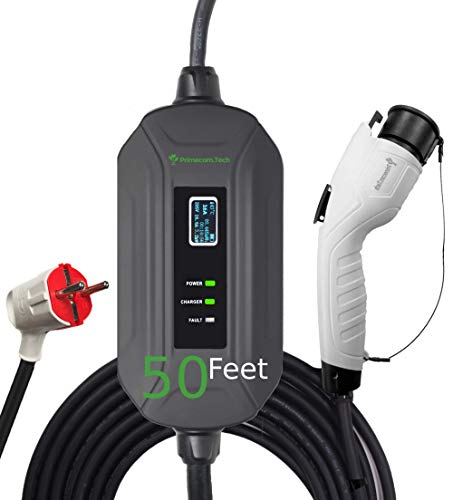
UNIVERSAL COMPATIBILITY Works with all brand EV and PHEVs : but for Toyota Prius & RAV4 please call us first for special non standard J1772 plugs. Up to 4 times FASTER CHARGING speed PRIMECOM Level 2 chargers function at 16 Amps working within an automatic range of 100V-240V works with all brand EVs & PHEVs & Plug-in Hybrids. This 16 Amp model charges at 3.84kw/hour giving upto 15 miles of range per hour! If you need 40/ 50-feet length 32/40Amp chargers
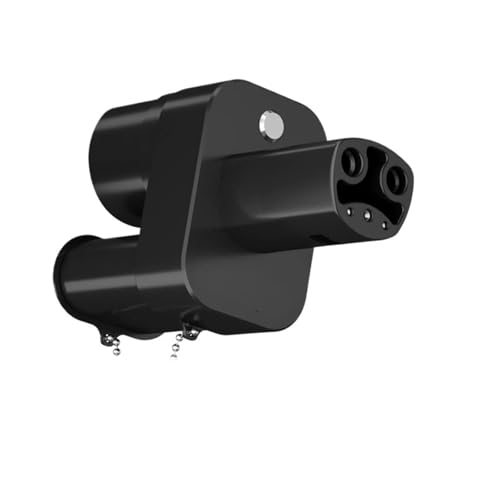
Fast Charging:Equipped with efficient charging technology, it can significantly shorten the charging time of electric vehicles, making your travel more convenient.

Specifications: DC Input: 12V~24V, DC Output: 15V (Max 95W) Compatible with Microsoft Surface Book Laptop 4 3 2 1 car charger Surface Pro X 7 6 5 4 3 Go vehicle car charger DC 12v-24v auto power adapter; Dual USB Output: 5V~12V (Max 30W) fast charging for table smartphone.
CCS1 (North America)
The CCS1 plug pairs the familiar J1772 AC connector with two extra DC pins. It can handle up to 1000 V and 500 A, which translates to roughly 350‑500 kW of power. Most U.S. charging stations use this setup, so you’ll find a lot of compatibility across different car brands.
CCS2 (Europe & elsewhere)
CCS2 blends the Type 2 AC plug with the same DC pins. Power limits match CCS1, giving you similar fast‑charging speeds. In Europe it’s the go‑to standard, making it easy to hop between stations without worrying about the make of your vehicle.
NACS
Tesla’s own design, now being adopted by a handful of other manufacturers. It can push up to 615 A at 1000 V—over 600 kW. The single‑plug layout means fewer cables to juggle, and it helps keep the grid load more predictable.
CHAdeMO
A Japanese‑origin connector that tops out around 400 kW. It requires a separate AC port, which can add a bit of complexity to the car’s charging system and affect how the grid handles the load.
GB/T
China’s standard covers both AC and DC charging. The DC side maxes out near 250 kW, and the dual‑port design can make charger sharing a little trickier for planners.
Worth knowing: If you travel a lot, check which standard your car supports and whether the stations you’ll use match it. That way you won’t end up stuck at a charger that can’t talk to your vehicle.
Frankly, the best choice often comes down to where you live and what your car’s built for. In the U.S., CCS1 is the safe bet; Europe leans heavily on CCS2; and if you drive a Tesla, NACS is the natural fit.
Got a favorite charger brand? Share your experience in the comments—let’s help each other stay powered up!
What Power to Expect at Public Fast‑Charging Stations in North America vs Europe?

Ever wondered why your EV sometimes feels slower on a road trip than you expected? The answer often lies in the power your public fast‑charging station can actually give you, and that power isn’t the same everywhere.
North America
- CCS1: 350‑500 kW, common on highways.
- NACS: up to 600 kW, limited to Tesla networks and expanding.
Europe
- CCS2: 350‑500 kW, widespread in urban and highway sites.
- Few stations exceed 500 kW, but many support 350 kW as a baseline.
Frankly, the biggest thing you can do is check the maps before you hit the road. Apps that list each station’s power level let you skip the low‑power stops and keep your battery charging at its best speed. Worth knowing: the higher the kW, the less time you’ll spend waiting, but only if your car can handle it.
Try this: pull up your favorite charging‑finder app, filter by “fast charge” or “≥350 kW,” and plot those stops along your route. You’ll see that in the U.S. many Tesla Superchargers push past 600 kW, while most CCS stations sit in the 350‑500 kW range. In Europe, CCS2 stations dominate, and you’ll rarely find anything above 500 kW.
If you stick to highways, you’ll likely run into more 350‑500 kW CCS1 chargers in North America. Urban areas may have a mix of lower‑power spots, so a quick glance at the app can save you a surprise. In Europe, the pattern is similar: highways give you solid 350‑500 kW, while city centers sometimes dip lower.
The takeaway? Knowing the typical power levels in each region helps you plan smarter stops and avoid unnecessary delays. Have you tried mapping your next trip’s charging plan yet?
How to Choose the Right Home Charger (Level 1, Level 2, Plug‑in Options)

Ever feel like you’re juggling work, school, and a car that needs a charge before you even get out the door? Picking the right home charger can make that juggling act a lot smoother.
Level 1 (120 V) – Plug into a standard outlet.
- Great if you only drive a few miles a day.
- You’ll see about 3–5 mi of range each hour you plug it in.
- It’s cheap and you don’t need an electrician.
Level 2 (240 V) – Mount a dedicated wall box.
- You’ll get roughly 20–30 mi of range per hour, so a full night’s charge feels like a quick coffee break.
- Families or anyone who needs a reliable “plug‑and‑play” solution will love it.
- You’ll need a pro to install it, but the speed payoff is worth the effort.
Plug‑in options – Look for a unit with smart scheduling and energy monitoring.
- Scheduling lets you charge when the utility rates are low, which can shave a few dollars off your bill.
- Monitoring shows exactly how much power each session uses, so you can track costs without guessing.
Frankly, most households end up choosing a Level 2 charger with those smart features. It gives you a good mix of speed, cost control, and peace of mind.
Try this: make a list of how many miles you drive each day and match that to the charging speed you need. If you’re only getting a few miles, Level 1 might be enough. If you’re a commuter or have a family car, Level 2 will keep you moving without a hassle.
Recommended Products

Universal Compatibility: The IQ 60 EV Charger features a ruggedized NACS connector and is ideal for Tesla electric vehicles and other NACS-compatible electric vehicles with acceptance rates up to 11.5kW. Plus, you may qualify for federal and local tax credits and rebates for home electric car charging.
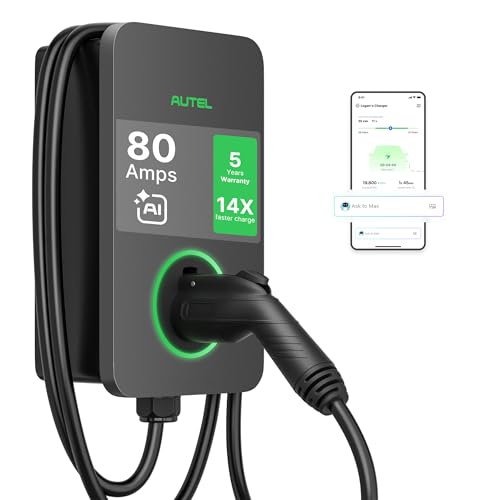
AI-POWERED SMART CHARGING & APP CONTROL – This ev charger level 2 uses Autel’s AI-integrated smart app to schedule charging around time-of-use utility rates, helping lower your monthly bill while boosting station utilization. Start or stop sessions remotely, adjust current from low to high amps, view real-time energy data, and get alerts if anything looks off.
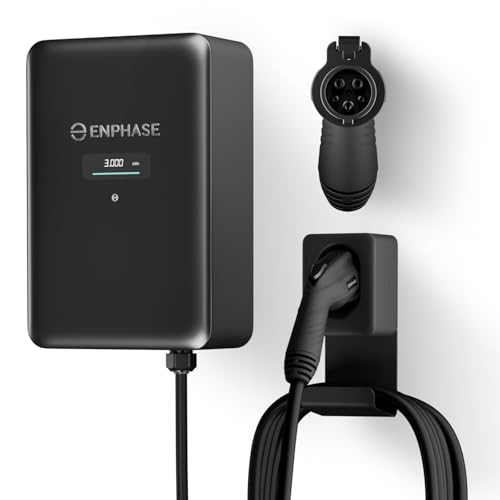
9× FASTER CHARGING: Get faster, smarter EV charging up to 11.5 kW (up to 46 miles/hour). Perfect for overnight charging or quick top-ups.
How Connector Design Affects Vehicle Complexity and Installation Cost
Ever tried juggling two separate connectors on a car and felt the hassle? I’ve been there, and the fix is surprisingly simple: go with a single‑port connector. A modular inlet lets you mix AC and DC pins, so you ditch the second port entirely. That cuts down the wiring mess inside the chassis and makes thermal management a breeze because the heat is all in one spot. Plus, technicians only have to hunt down one connector, which speeds up service.
Key impacts
- Fewer parts → lower material cost.
- One port → easier installation for home chargers.
- Consolidated heat source → better thermal management.
- Single access point → quicker service and repairs.
Choosing a unified design streamlines both vehicle build and charger setup.
Why it matters for you
When you eliminate a whole set of cables, you’re not just saving money—you’re also reducing the chance of a wiring mistake. That means fewer headaches down the road and a cleaner look under the hood. And because the heat is focused, you won’t have to worry about hot spots spreading across the chassis.
Practical tip
Here’s the trick: pick a connector that lets you snap in both AC and DC pins on the same board. You’ll see the wiring diagram shrink, and the installation steps become a lot less intimidating. It’s a small change that pays off big time.
Bottom line
A single‑port solution gives you a simpler build, lower costs, and easier service. Ready to make the switch?
Future‑Proofing Your EV Charging Setup: High‑Power Cables & Liquid‑Cooling Trends
Ever tried to charge your EV at home and worried the cable might overheat as you crank up the power? You’re not alone. As charging stations push toward higher kilowatts, the cords and connectors need a bit more muscle.
What to look for in a high‑power cable
- Pick a cable with a bigger copper cross‑section. More copper means less resistance, so the heat stays down.
- Go for connectors that are rated for 1000 V and 500 A. Those numbers give you a solid safety margin.
- If you’re planning on pulling more than 200 kW, think about adding a liquid‑cooling loop.
Liquid‑cooling isn’t just a buzzword; it actually pulls heat away from the cable and connector, keeping everything under safe temperature limits. A sealed hose with a reliable pump will help you avoid leaks, and keeping the coolant under 40 °C is a good rule of thumb. Check the hoses regularly for any signs of wear, and you’ll have a system that’s both safe and ready for future upgrades.
Why liquid‑cooling matters
It lets you stay within safe temperature zones even when you push the power higher. That means you won’t have to replace the whole setup when standards evolve. A simple pump and hose combo can make a big difference without breaking the bank.
Try this: When you install a new charging point, run a quick test with a lower power setting first. Feel the cable and connector for any warm spots after a few minutes. If they stay cool, you’re good to go for higher settings.
Worth knowing: A well‑designed cooling loop can add years to your charger’s life and keep maintenance costs low.
—
Got a favorite brand of cooling fluid or a tip for checking hose wear? Share it below!
Quick Compatibility Checklist: Match Your Car to the Correct Connector Type
Ever tried plugging your EV into a charger and got stuck because the plug didn’t match? It’s a hassle you can avoid with a quick check before you head out.
Recommended Products
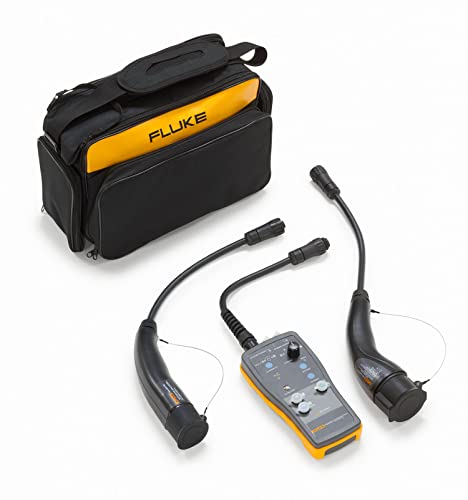
Adaptor with Type 1 and Tesla type connector that simulates the presence of an electrical vehicle to test the functionality and safety of an electric vehicle AC charging station

CCS1 to CHAdeMO fast charging adapter, suitable for DC fast charging.

Quick Compatibility Checklist: Match Your Car to the Correct Connector Type
- Identify the standard on your vehicle’s door.
- Type 1 (SAE J1772) for most North‑American models.
- Type 2 (IEC 62196) for Europe and many global cars.
- CCS1 or CCS2 for DC fast charging.
- NACS for Tesla‑based networks.
- Home chargers use the same AC plug as your car.
- Public fast chargers require the DC standard you support.
Frankly, the easiest way to keep things simple is to keep this list handy.
Worth knowing: Most newer stations label the connector type right on the screen, so you can spot the right one from a distance.
Follow this checklist to avoid mismatched plugs and keep charging simple.
Got a favorite charger spot you’ve discovered? Share it in the comments!
Frequently Asked Questions
Which Connector Supports Bidirectional V2G Charging?
We say CCS2 supports bidirectional V2G charging, because its design integrates a vehicle‑to‑grid interface and a bidirectional inverter, allowing energy flow both to and from the car.
Can I Use a DC Fast‑Charger With a Level 2 Ac‑Only Vehicle?
We can’t plug a Level 2 AC‑only car into a DC fast‑charger; the protocols are incompatible, and no connector adapters exist to bridge them, so the vehicle simply won’t charge.
Do Liquid‑Cooled Cables Require Special Vehicle Modifications?
We’ve found liquid‑cooled cables don’t need major vehicle adaptations; they just improve cable durability and thermal management, so the car’s existing connector handles the extra cooling without extra modifications.
How Does Ambient Temperature Affect AC Versus DC Charging Speed?
We find that ambient temperature slows AC charging more than DC because battery chemistry reacts quicker to high‑current DC, while AC’s onboard converter struggles in heat, reducing efficiency and speed.
Are There Any Safety Certifications Needed for Home‑Installed NACS Ports?
We’ll assure you it’s required—home‑installed NACS ports must meet installation standards and be performed by an electrician with proper certification, otherwise insurers may deny coverage and safety could be compromised.


