As an Amazon Associate, we earn from qualifying purchases. Some links on this site are affiliate links at no extra cost to you. Our recommendations are based on thorough research and editorial judgment.


What to Consider Before Relying on a Portable Charger

We should first check that the charger has UL, CE, or FCC marks and verify them on the maker’s site or a trusted database. Next, match the charger’s voltage and current to the battery chemistry—3.7 V for Li‑ion or 3.2 V for LiFePO₄—and use the recommended cable. Keep the device on a hard, flat, fire‑proof surface, give it at least six inches of airflow, and stop if it gets hot. Inspect the case for dents, swelling, or corrosion before each use and replace any damaged unit. If you keep these steps in mind, you’ll be ready for more details.
Key Takeaways
- Verify UL, CE, or FCC certification logos and confirm serial numbers on manufacturer or trusted third‑party sites.
- Ensure the charger’s voltage and current match the power bank’s battery chemistry (Li‑ion ≈ 3.7 V, LiFePO4 ≈ 3.2 V) and listed limits.
- Use original or recommended cables and place the device on a hard, flat, fire‑proof surface for proper heat dissipation.
- Keep the charging area clear of flammable materials, maintain at least six inches of ventilation, and avoid soft surfaces that trap heat.
- Inspect the case for swelling, dents, or corrosion before use; replace any damaged units and recycle old cells responsibly.
Power‑Bank Safety: Verify UL, CE, or FCC Certifications
You may be interested


Ever bought a power‑bank that looked cheap but promised a full day of charge? You’ve probably felt that knot in your stomach when the device overheats or dies early. The best way to avoid that anxiety is to check for proper safety marks before you click “add to cart.”
First, take a good look at the case. You should see clear UL, CE, or FCC logos—no smudges, no faded edges. A solid brand usually puts these symbols where you can read them easily. If anything looks off, grab a phone and compare the logo to official images online. A quick visual check can save you from a dangerous counterfeit.
Next, head over to the brand’s website. Look for a certification page or a list of compliant products. Most reputable makers will link to the UL or CE listings, and some even let you enter the serial number for verification. If the site is vague or missing this info, that’s a red flag.
Try this: scan the serial number with the manufacturer’s portal or a trusted third‑party app. The portal should confirm that the unit passed fire‑risk testing and includes overcharge protection. When the serial check comes back clean, you can feel more confident about the battery’s safety.
- Certified units have fire‑risk testing.
- Uncertified units lack overcharge protection.
- Counterfeit products often miss these marks.
Fair warning: counterfeit power‑banks often skip the safety steps, so they can overheat, swell, or even catch fire. By following the steps above, you’ll pick a reliable, safe power‑bank that won’t let you down when you need it most. Ready to shop smarter?
Recommended Products

Frame-Less Design: Star Cleanedge Series Solar Panel Feature a Frameless Design that prevents dust/water buildup. Rain Self-Cleaning, 0 Maintenance Costs
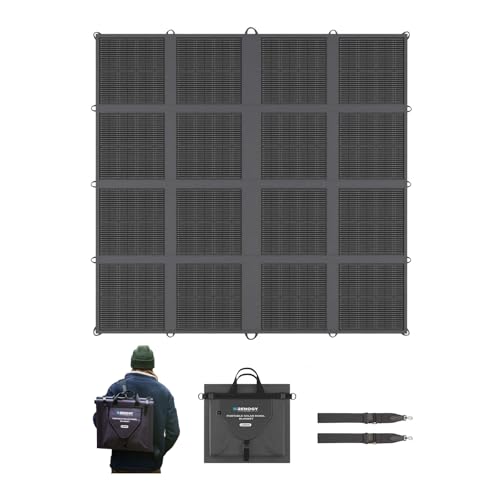
[Ultra-Lightweight with 16-Fold Design] Weighing only 16.09 lbs, Renogy solar blanket is the lightest in its class (62% lighter than a conventional 400w portable solar panel). Innovative 16-fold design packs down to backpack size 16.54x15.83x4.13in (75% smaller than other camping solar panel). Stores effortlessly in tight camper spaces - perfect for SUVs / pickup truck campers / 4x4 off-road cars.

𝐏𝐨𝐰𝐞𝐫𝐟𝐮𝐥 𝐃𝐂 𝐭𝐨 𝐀𝐂 𝐂𝐨𝐧𝐯𝐞𝐫𝐭𝐞𝐫: This car power inverter delivers 𝟑𝟎𝟎𝟎𝐰 𝐨𝐟 𝐜𝐨𝐧𝐭𝐢𝐧𝐮𝐨𝐮𝐬 DC 12V to AC 110V 120V power and up to 𝟔𝟎𝟎𝟎𝐰 𝐨𝐟 𝐩𝐞𝐚𝐤 𝐬𝐮𝐫𝐠𝐞 𝐩𝐨𝐰𝐞𝐫 when the load is started. The car inverter has >𝟗𝟎% 𝐜𝐨𝐧𝐯𝐞𝐫𝐬𝐢𝐨𝐧 𝐞𝐟𝐟𝐢𝐜𝐢𝐞𝐧𝐜𝐲, it maximizes battery life, reducing energy loss and saving money on fuel or solar power.
Power‑Bank Safety: Match Charger Specs to Battery Type

Ever had a charger that just won’t seem to charge your power‑bank right? It’s frustrating, especially when you’re trying to keep your phone alive on a long trip. The trick is to match the charger’s voltage and current to the battery inside the bank. That way you avoid stress on the cells and keep everything safe.
Recommended Products

3000VA/2700W online double-conversion uninterruptible power supply (UPS) battery backup system with true sine wave output to protect network devices, workstations, and other mission-critical electronics
Microprocessor-controlled, multistage charging algorithms

[Charge Anywhere] Replace your outdoor generator with clean, renewable energy. Recharge RIVER 2 Max 500 with this lightweight, portable solar panel wherever you go. With an industry-leading conversion rate, charge anywhere as quickly as 4 hours. Recharge using an AC outlet in only 60mins. Plus, top up using your car outlet or even USB-C.
Identify the battery chemistry
- Lithium‑ion cells need a 3.7 V nominal voltage and can handle a 1 C charge current.
- LiFePO₄ cells run at a 3.2 V nominal voltage and usually require lower charge rates.
Check the charger label
- Make sure the output voltage matches the bank’s rated voltage.
- The current should never exceed the limit the manufacturer lists.
Use the correct cable
Original or recommended cables keep resistance low, which helps the charger work efficiently and prevents excess heat.
Avoid mismatched chargers
A charger that’s too high in voltage can cause the battery to swell, while a lower voltage will make charging crawl. Both situations waste time and could damage the pack.
Fair warning: plugging a charger with the wrong specs into a power‑bank is a quick way to shorten its life. Worth knowing: always double‑check the numbers on the charger and the battery before you plug anything in.
Following these steps keeps your power‑bank safe and reliable. Got any other charger tips to share?
Power‑Bank Safety: How to Charge Without Overheating

Ever had your phone die mid‑day and you scramble for a power‑bank, only to wonder if charging it could actually cause a fire? The trick is not just picking the right charger, but also keeping the bank cool while it fills up.
First, match the charger’s voltage and current to your battery’s chemistry. Lithium‑ion cells tend to run hotter than other types, so a charger that’s too strong can push the temperature up fast. A simple thermal check while charging can save you a lot of hassle.
Worth knowing:
- Use a charger that has built‑in temperature sensors.
- Put the power‑bank on a hard, flat surface—no soft pillows or blankets.
- Keep it away from direct sunlight or any warm objects.
If you feel the case getting hot, stop the charge right away. Let it sit for a few minutes before you start another cycle. This brief cool‑down helps the cells stay within safe limits.
Frankly, a little patience goes a long way. Don’t rush the process just because you’re in a hurry. Your device will thank you with a longer lifespan and fewer worries about overheating.
Try this: after each charge, give the bank a quick glance and a gentle touch. If it’s warm, set it aside for a minute or two. That small step can keep the heat from building up over time.
Following these habits lets you charge safely without risking fire or damage. Ready to keep your gadgets powered and safe?
Recommended Products

【Top-Flight Performance 】The 51.2V 100Ah liFePO4 battery is manufactured by 16Pcs Automotive Grade A grade prismatic cells with higher energy density, more stable performance & greater power. And has a compact 5.12kWh energy, which is equivalent to 4pcs 12V 100Ah LiFePO4 batteries in 4S (or even 8pcs 12V 100Ah AGM batteries in 8S). Fully compliant with the UL1973 safety standard and certified by Intertek ETL for reliable safe operation.

Three Stage Smart Chargers Phase Three Smart battery charging technology is now available in a wide range of power levels, allowing you to select the right size, features and flexibility you require
3 Sensitivity Levels: Axion 2 optimizes images for high-quality rendering of targets/backgrounds. Signal amplification, filters, brightness, and contrast adjustments allow versatile, long-range animal detection in varying weather conditions.
Power‑Bank Safety: Choose the Right Environment for Charging

Ever had your phone die at the worst possible moment and you scramble for a power‑bank, only to wonder if the spot you’re charging it on is safe? I’ve been there, and a few simple habits have saved me from a lot of worry.
First off, pick a flat, fire‑proof surface—think ceramic tile or a metal tray. It doesn’t have to be fancy, just something that won’t catch fire if the bank gets warm. Keep the area dry and steer clear of anything flammable like paper or a blanket. Good ventilation is a must, so give the device room to breathe.
Try this:
- Place the bank on a fire‑proof surface.
- Leave at least six inches of clearance all around.
- Charge it in a cool, dry room away from direct sunlight.
Avoid charging on soft beds, cushions, or rugs; they can trap heat and cause a hotspot. Don’t cover the bank while it’s plugged in, and pull the plug as soon as it’s fully charged. A stable, level spot helps prevent spills or drops, too.
Frankly, these steps cut down the chance of overheating and keep nearby objects safe. You’ll also notice your power‑bank lasts longer when it isn’t constantly battling heat.
Got a favorite safe‑charging tip you swear by? Share it in the comments!
Recommended Products

45-Min Fire & Water Protection: Engineered to endure extreme heat up to 1400°F for 45 minutes, this safe shields firearms and ammunition from fire damage. Its waterproof seal adds a layer of defense against flooding, humidity, and moisture-related issues.

45-Min Fire & Water Protection: Engineered to endure extreme heat up to 1400°F for 45 minutes, this safe shields firearms and ammunition from fire damage. Its waterproof seal adds a layer of defense against flooding, humidity, and moisture-related issues.

🔥 45-Min Fire & Water Protection Protects contents from fires up to 1400°F for 45 minutes. Water-resistant design adds extra safety
Power‑Bank Safety: Inspection Checklist & Replacement Guide

Ever had a power‑bank die on you right when you need it most? It’s frustrating, especially when you’re out on a hike or stuck in a coffee shop with a dead phone. The good news is you can catch problems early with a quick check before each use.
Recommended Products
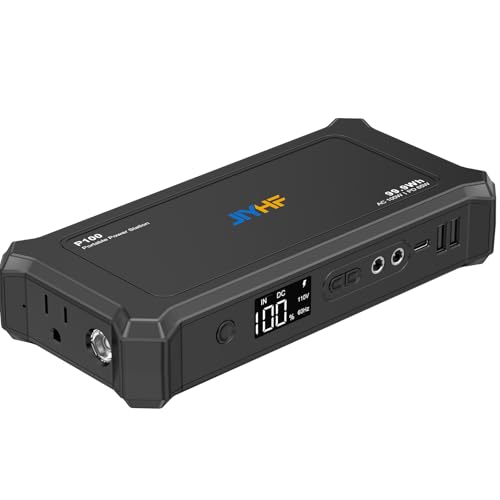
99.9Wh Capacity: This portable laptop power bank comes with a 99.9Wh capacity lithium-ion battery pack, stays under the 100Wh FAA limit for air travel, Compatible with iPhone 16, iPad, MacBook, Laptop,Samsung Galaxy etc

【Portable charger Power bank with built in cables】Portable phone Charger with built-in 4 cables for iPhone, USB-C devices,Micro devices and USB A cable for recharge the power bank itself. no need to carry any cords when going out.

Case Only! (device and accessories are not included). Made of excellent PU leather, the durable carrying cases with soft and smooth lining protects your equipment and small items from dust, splash, scratches and bumps damages. Durable and water resistant and easy to clean.
Visual check – Examine the case for damage.
Take a moment to look over the outside. Dents, swelling, leaks, or cracked insulation are red flags. If anything looks off, put it aside and get a new one.
Heat check – Touch the surface; it should feel cool.
Give the case a gentle press. A warm or hot feel means the battery could be overheating, which isn’t safe. Let it cool down or replace it if it stays hot while charging.
Connection check – Make sure ports are clean and undistorted.
Inspect the USB ports and any other connectors. Rust, corrosion, or bent pins can cause short circuits. Clean them with a soft brush, but if the damage is severe, it’s time for a new unit.
Replace a power‑bank if it:
- Swells or bulges.
- Gets unusually hot while charging.
- Shows rust or corrosion on contacts.
When you replace a unit, follow proper battery disposal rules. Many stores accept lithium‑ion cells for recycling. Register the new device for warranty registration to keep coverage active. Keep a spare certified charger handy for emergencies.
Try this: keep a small checklist on your phone or a sticky note in your bag. A quick glance before you head out can save you from a dead battery later.
Fair warning: ignoring these signs can lead to leaks or even a fire. It’s better to be safe and swap out a suspect bank before it becomes a hazard.
Got a favorite brand that’s held up well for you? Share it below and help others stay powered up.
Frequently Asked Questions
How Long Will My Power Bank Retain Charge When Idle?
Think of it like a leaky bucket: we’ll see self‑discharge, so a power bank loses a few percent each month. For long‑term storage, expect roughly 30‑40 % capacity loss after six months idle.
Can I Use a Power Bank to Charge Multiple Devices Simultaneously?
We can charge multiple devices at once if the bank supports simultaneous charging, and many models include smart power sharing to balance output automatically, ensuring each gadget receives the right current without manual juggling.
Does Temperature Affect the Power Bank’s Overall Capacity?
We can tell you that temperature does affect a power bank’s overall capacity; higher heat accelerates battery degradation, while proper thermal management preserves performance, so keep it cool for peak longevity.
Are There Legal Restrictions on Carrying Power Banks on Airplanes?
We’ve found airline regulations cap power‑bank battery wattage, usually under 100 Wh for carry‑on, and some carriers require approval for 100‑160 Wh. So, check the label, and you’ll stay clear of trouble.
What Is the Typical Lifespan of a Power Bank’s Battery Cycles?
We usually see about 300‑500 full charge‑discharge cycles before noticeable battery longevity drops, with cycle degradation becoming apparent after roughly 200 cycles, so expect diminishing capacity as you approach those limits.