As an Amazon Associate, we earn from qualifying purchases. Some links on this site are affiliate links at no extra cost to you. Our recommendations are based on thorough research and editorial judgment.

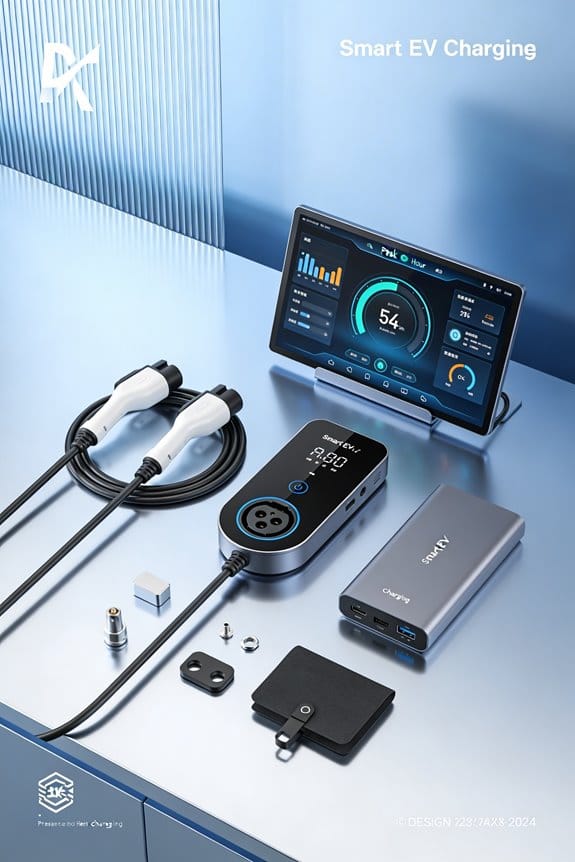
How Smart Charging Can Reduce Stress Around Peak Hours

We can cut peak‑hour stress by setting our EVs to charge when demand is low. 1) Use a smart charger that follows price alerts and pauses during spikes. 2) Schedule charging for the super‑off‑peak window, typically 10 p.m.–6 a.m., to avoid peak rates. 3) Align the schedule with wind or solar peaks for greener power. 4) Track monthly kWh and compare peak vs. off‑peak usage to see savings. 5) Keep the charger firmware updated and guarantee Wi‑Fi connectivity. This approach lowers bills, reduces peaker‑plant use, and smooths the grid, and more tips follow.
Key Takeaways
- Smart charging shifts EV charging to off‑peak or, lowering demand during peak‑hour windows.
- By using price alerts and auto‑mode, the charger pauses when rates rise, avoiding costly peak pricing.
- Aligning charging with high renewable generation (wind at night, solar midday) reduces reliance on peaker plants.
- Distributed off‑peak charging smooths the overall load curve, decreasing grid stress and the need for expensive infrastructure upgrades.
- Consumers see lower electricity bills and contribute to cleaner air, while utilities experience a more stable, less strained grid.
Smart Charging: Definition and Impact on Peak‑Hour Stress
You may be interested


Ever find yourself staring at your electric‑car charger and wondering why the bill spikes every month? It’s not magic—it’s the grid’s peak‑hour rush, and you can dodge it with a little smart charging.
Smart charging means letting your EV charge when electricity is cheap and clean, not when the grid is overloaded. We define it as a system that schedules charging based on price and carbon signals. It reduces peak‑hour stress by moving demand to off‑peak times.
1. Use behavioral incentives
- Offer discounts for charging after 10 p.m.
- Show real‑time cost savings on the app.
2. Apply demand forecasting
- Predict household load for the next 24 hours.
- Align charging with low‑demand windows.
3. Benefits
- Lower electricity bills.
- Fewer peaker plants needed.
- Smoother grid operation.
Try this: set your charger to auto‑mode, turn on price alerts, and glance at the weekly forecast. It’s a simple plan that cuts costs and eases grid strain.
Fair warning: if you ignore the price signals, you’ll keep paying extra and adding stress to the system.
What’s the easiest change you can make today to keep your wallet and the planet happy?
Off‑Peak EV Charging: How TOU Rates Create Cost Advantage
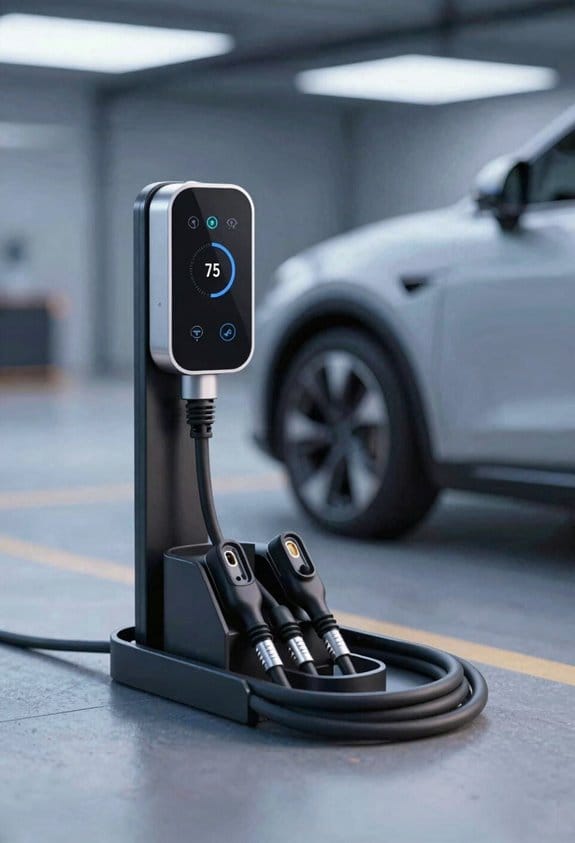
Ever feel like your electric bill spikes every time you plug in your car after work? That’s the price of charging during peak hours. The good news is you can dodge those high rates by shifting your plug‑in to the off‑peak window that most utilities label as “time‑of‑use” (TOU). When the grid is quiet, the electricity costs drop, and you end up paying less for the same miles.
Frankly, the trick is simple: set your charger to run when the lights are off. Most utilities publish a TOU schedule that shows cheap rates after 10 p.m. and before 6 a.m. If you program your charger to start in that window, you’re already saving without lifting a finger. Some smart apps even let you pause charging when the price jumps, so you stay in control without constantly checking the clock.
Worth knowing: the savings aren’t just a one‑off thing. Utilities often smooth out price swings across the day, which means the cheap window stays reliably low. That makes it easy to plan a weekly routine that fits your schedule and your budget.
- Check your utility’s TOU schedule.
- Set your charger to start after 10 p.m. or before 6 a.m.
- Use a smart app to pause charging during peak hours.
- Monitor your bill for reduced kWh costs.
If you’re not sure where to find the TOU chart, a quick call to your provider or a glance at their website will do. Once you’ve got the times down, just plug in and let the timer do the work. You’ll see the difference on your next bill, and you won’t have to sacrifice any driving range.
Let’s be honest, it feels good to watch the numbers drop. And the best part? You don’t need any fancy equipment—just a basic timer or a phone app. So, are you ready to give your wallet a break on the next charge?
Recommended Products

Ditch the Bulky Battery: Fed up with bulky batteries wasting your space? 12V 320Ah compact battery cuts size by 1/3 smaller than 12V 300Ah, 70% lighter (57.3lbs) than 3 lead-acid 12V 100Ah, boasting 4096Wh energy (256Wh more power) to fit into tight spots and deliver extra power.

⚡【 HIGH POWER - 80 AMP - UP TO 75 MILES OF RANGE PER HOUR CHARGING 】— Up to 20 times faster than a standard 110V charger, providing up to 75 miles of range with every hour of charge, delivering up to 19.2 kWh. The Primecom 80Amp EV Charger offers adjustable amperage ranging from: 80A, 50A, 48A, 40A, 32A, 30A, 28A, 24A.
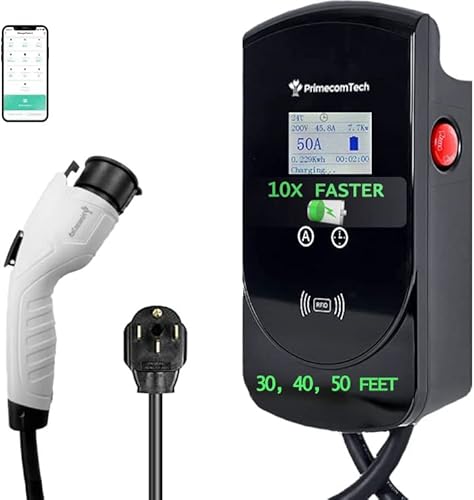
🔋 This charger is manually amperage adjustable from 50-Amps, 48, 40, 32, 30, 28, 25, 12 Amps Modes with front button selection provides upto 12KWh power up to 10X Faster charging (compare the the Factory provided 110V Charger). 📱 LONGER CORD OPTIONS & INTELLIGENT CHIP — Intelligent chip automatically provides the requested amperage from your EV.
Schedule Your EV for Overnight, Super‑Off‑Peak Rates
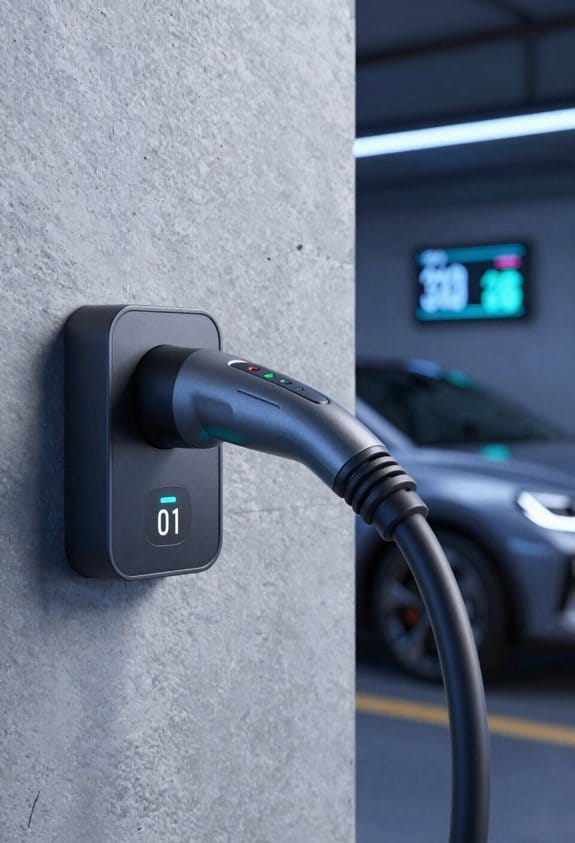
Ever wonder why your electric‑car bill feels higher than it should? You’re not alone—most folks charge their EVs whenever they remember, missing out on the cheap overnight rates most utilities offer. I’ve been tweaking my schedule for a few months now, and the savings are real.
Choose the right time – I set my charger to start between 10 p.m. and 6 a.m. That window usually drops the rate by 30‑40 %. It’s easy to pick a slot that fits your sleep pattern, and you’ll see the bill shrink fast.
Set a limit – Most chargers let you stop at a chosen percentage. I keep it at 80 % to keep the battery happy and avoid unnecessary stress. It takes a second to set in the app, but it pays off over the long run.
Enable smart start – If your charger has a smart‑start feature, let it kick in when the grid is quiet and renewable power is high. The system figures out the best moment, so you don’t have to watch the clock.
- Lower bills by up to $240 per year.
- Reduce wear on the battery, extending its life.
- Help the grid stay stable by spreading demand.
Frankly, the biggest surprise was how little effort it took. I just set the schedule once and let it run. The numbers on my monthly statement started dropping right away, and I didn’t have to change my routine.
Worth knowing: you can usually see the exact savings in your utility’s online portal. If you’re not sure where the super‑off‑peak window is, check the rate plan details or give their support line a quick call.
Give it a try and watch your savings grow without any extra hassle. Ready to make your night‑time charging work for you?
Recommended Products

🔋 This charger is manually amperage adjustable from 50-Amps, 48, 40, 32, 30, 28, 25, 12 Amps Modes with front button selection provides upto 12KWh power up to 10X Faster charging (compare the the Factory provided 110V Charger). 📱 LONGER CORD OPTIONS & INTELLIGENT CHIP — Intelligent chip automatically provides the requested amperage from your EV.
🔋 This charger is manually amperage adjustable from 50-Amps, 48, 40, 32, 30, 28, 25, 12 Amps Modes with front button selection provides upto 12KWh power up to 10X Faster charging (compare the the Factory provided 110V Charger). 📱 LONGER CORD OPTIONS & INTELLIGENT CHIP — Intelligent chip automatically provides the requested amperage from your EV. ☔️ Primecom Smart chargers are waterproof and are safe to use outdoors. Fully Outdoor Usable with IP56 rating waterproof status.

⌚️ DELAYED TIMER — Take advantage of the difference in electricity charges between peak hours and off-peak hours, the delayed start timer allows you to schedule your charging in advance; Comfortably benefit from peak rates and save money without having to move a finger! Follow the instructions included with your charger to schedule your charging in advance!
Choose a Smart Charger or App That Pauses During High Demand
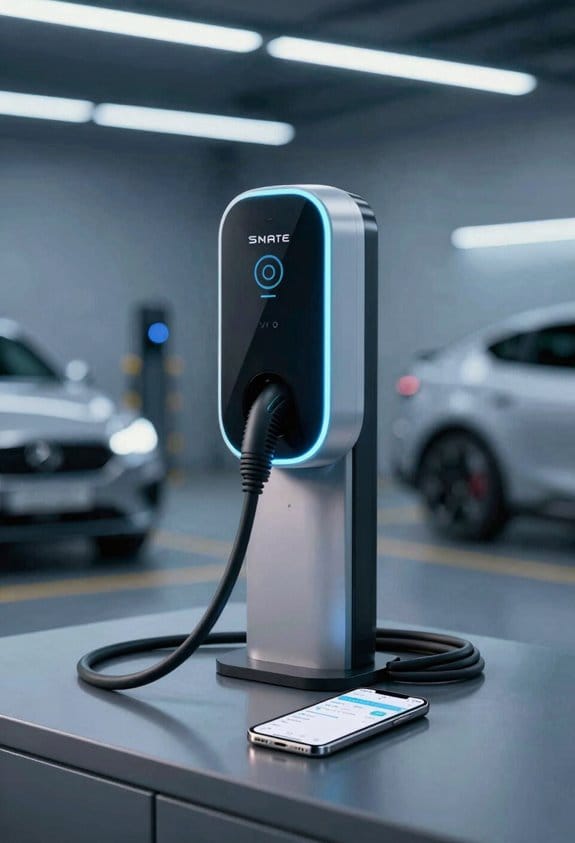
Ever notice how your electric car keeps sucking power right when the grid’s most crowded? It’s frustrating, especially when the bill spikes. The good news is you can pick a charger or an app that knows when demand is high and hits pause on its own.
Recommended Products
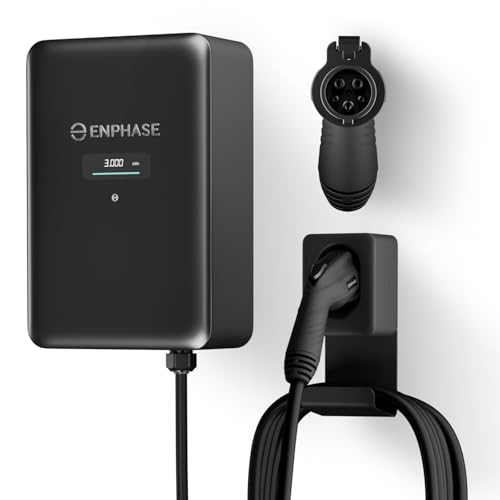
9× FASTER CHARGING: Get faster, smarter EV charging up to 11.5 kW (up to 46 miles/hour). Perfect for overnight charging or quick top-ups.

INSTALL WITH CONFIDENCE: The Enphase HCS-50 EV Charger, formerly known as ClipperCreek, delivers award-winning durability and reliability. Installation is quick and straightforward—connect it to a dedicated 50 Amp circuit by any licensed electrician.

AI-POWERED SMART CHARGING & APP CONTROL – This ev charger level 2 uses Autel’s AI-integrated smart app to schedule charging around time-of-use utility rates, helping lower your monthly bill while boosting station utilization. Start or stop sessions remotely, adjust current from low to high amps, view real-time energy data, and get alerts if anything looks off.
Choose a charger that pauses on its own
Start by hunting for models that actually list “demand pausing” in their specs. The Blink HQ 200 and the ChargePoint Home Flex both do this. They’ll stop charging when the grid is busy, then kick back in when things calm down.
Here’s the trick:
- Check the app – Make sure the companion app lets you set a high‑demand window.
- Enable auto‑pause – Flip the toggle that stops charge when rates rise.
- Set a resume time – Pick a low‑cost period for the charger to restart.
These steps let you dodge peak‑hour spikes, keep the grid stable, and shave a few bucks off your bill without any extra effort.
Frankly, you don’t need a fancy setup. Just a charger that talks to its app and a few minutes of tweaking, and you’re good to go. The whole process takes less time than brewing your morning coffee, and the payoff shows up on your next electric bill.
If you’ve already got a charger, see if it already has a “smart” mode. Many newer units include a hidden setting that you can turn on from the app. It’s worth checking the manual or the manufacturer’s website for a quick guide.
Bottom line: a little smart tech can keep your car charged without overloading the grid. Ready to give it a try?
Quantify Household Savings From Off‑Peak EV Charging (E.G., 30 % / $240 Yr)
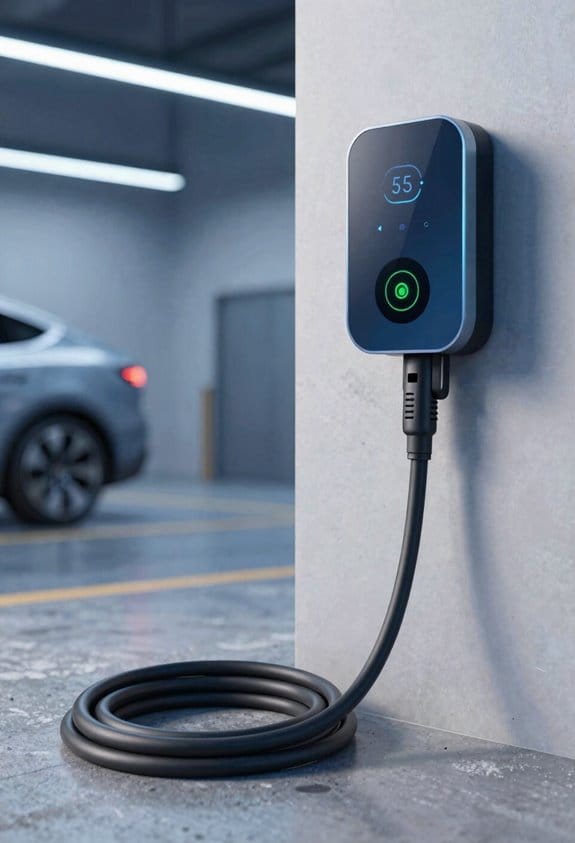
Ever wondered why your electric bill spikes when you charge your car after work? I was stuck with that problem until I tried a charger that pauses during high‑demand periods. By shifting the charging to off‑peak hours, I saw a real drop in my monthly costs—about 30 % lower, which works out to roughly $240 a year for a typical household. The trick is simple: buy cheap night‑time power and avoid the pricey peak rates. It also eases wear on the charger, because it skips the high‑current spikes that happen during peak times.
How to measure the benefit:
- Record monthly kWh used for the EV.
- Split usage into peak and off‑peak portions.
- Apply your utility’s time‑of‑use rates.
- Calculate the cost difference.
Typical result:
– 80 % of 900 kWh moved to super‑off‑peak cuts the bill from $287 to $47, saving $240 annually.
Follow these steps to confirm the impact for your home.
Frankly, the numbers speak for themselves, and you don’t need any fancy equipment—just a basic meter and your utility’s rate schedule. Try this: keep a simple spreadsheet for a month, note the kWh you charge during each time block, then multiply by the corresponding rate. You’ll be surprised at how quickly the savings add up.
Ready to see if you can shave a few hundred dollars off your bill? Give it a try and let me know how it works for you.
Reduce Grid Strain by Shifting EV Load Off‑Peak
Ever wonder why your electric bill spikes in the evenings? The grid gets crowded when everyone plugs in at the same time, and that pushes up the cost for everyone. If you shift your EV charging to off‑peak hours, you can help keep the lights on without breaking the bank.
I’ve been part of a local charging group for a few months now, and the difference is clear. When we all set our chargers to start after 10 p.m., the demand curve smooths out. Utilities can keep the big, noisy peaker plants offline, which means cleaner air and lower rates for the whole neighborhood.
Try this:
- Join a nearby charging group.
- Schedule your charger to kick in after 10 p.m.
- Use the app to watch your savings grow.
- Incentives lower your bill.
- Aggregation spreads the load.
- The grid stays stable.
Frankly, it feels good to know you’re doing your part while saving money. You’ll see the impact in your monthly statement, and the community benefits from a steadier power supply.
These simple steps keep the system efficient and affordable for everyone. Ready to give it a try?
Maximize Renewable Use With Night‑Wind and Midday Solar Charging Windows
Ever feel like your electric car is draining your wallet while you’re trying to go green? The trick is to charge when the grid is already clean—night‑time wind and bright‑day solar. By syncing your plug‑in habits with those natural power peaks, you cut emissions and keep the bill low. Here’s how to make it work for you:
Set a schedule
- Charge from 10 p.m. to 5 a.m. to catch the strongest night wind.
- Charge from 11 a.m. to 2 p.m. to ride the midday solar surge.
Use a smart charger****
- Turn on auto‑start that follows your utility’s rate schedule.
- If your unit offers a “renewable window” mode, select it.
Monitor your plan
- Keep an eye on the utility’s time‑of‑use chart.
- Adjust the timing if the wind forecast shifts.
Frankly, these simple steps let you tap cleaner power, ease peak‑hour strain, and stay within budget. Worth knowing: many utilities publish real‑time renewable percentages, so a quick glance can tell you exactly when the grid is greenest.
Give it a try and watch your carbon footprint shrink—what’s the first window you’ll set?
Smart‑Charging Integration With Home Energy‑Efficiency Measures
Ever wonder why your electric‑car bill spikes even when you think you’re charging smartly? The trick is to tie your charging schedule to the rest of the house’s energy habits. When you sync the charger with other appliances and tighten up your home’s envelope, you’ll notice a cooler, cheaper home.
Recommended Products

Connect Two F3800 Stations: Link two Anker SOLIX F3800 Portable Power Stations with Anker SOLIX Double Power Hub. Connect via the Home Power Panel ports.

Local AI & LLM Powerhouse: Fueled by the Ryzen 8845HS NPU and RTX 5070 GPU, this NAS is your private AI workstation. Effortlessly deploy local LLMs and run Stable Diffusion without costly cloud subscriptions. Enjoy 100% data privacy and absolute protection for your proprietary code and sensitive data.

【High-Capacity Dual-Power Combination】This set includes main power station and 3600Wh expansion battery pack. The battery pack is built with diverse output ports, supporting stackable capacity expansion or separate independent power supply. It realizes dual usage modes, saves extra purchasing budget and achieves high practical cost performance.
Appliance coordination
- Set the dishwasher, washing machine, and dryer to kick in after the EV finishes charging.
- Use a smart hub to push high‑draw devices to off‑peak hours.
Envelope retrofits
- Add insulation, seal windows, and upgrade doors.
- Cutting heating and cooling loads means the charger can draw less power during peak periods.
Frankly, you don’t need a fancy system to get started. Just look at your daily routine and shift the big loads to when the grid is cheaper. That simple timing tweak can shave a good chunk off your monthly energy bill.
Try this: schedule your EV to finish charging just before you’re ready to start the dishwasher. The charger will finish its job, and the dishwasher will run when electricity is cheaper. It’s a small change, but the savings add up.
Worth knowing: a tighter home envelope doesn’t just keep the heat in—it also reduces the load on your charger during hot days. A well‑sealed house can stay comfortable without cranking up the AC, so your EV can charge at a lower rate.
You’ll find that these tweaks make your whole house run smoother and more affordable. Ready to give it a go?
Troubleshooting Common Off‑Peak Charging Issues (Missed Schedules, Connectivity)
Ever you set your EV to charge during off‑peak hours, only to watch the clock tick by and nothing happens? It’s frustrating, especially when you’re trying to save on your bill. The good news is that most of the time the fix is simple and only takes a few minutes.
First, fire up the charger’s app and double‑check the schedule you created. Make sure the start time, duration, and days line up with what you intended. If anything looks off, tweak it and save. Next, give the charger a quick visual inspection—plug it in fully, confirm the cable is snug, and verify the outlet is actually delivering power. A loose plug or a tripped breaker can be the silent culprit.
Fair warning: connectivity issues often hide behind a perfectly set schedule. Check that your Wi‑Fi or cellular link is stable; a dropped connection can stop the charger from receiving its timing commands. If the app shows a firmware update banner, go ahead and install it—old firmware sometimes disables the timing feature altogether.
Quick checklist
- Open the app and review the schedule.
- Make certain the charger is powered and the cable is secure.
- Check Wi‑Fi or cellular connectivity.
- Install any pending firmware updates.
User education tips
- Read the charger’s quick‑start guide.
- Follow the manufacturer’s connectivity troubleshooting steps.
- Keep the app version current.
Try this: after you’ve confirmed everything looks right, give the charger a brief reboot. Unplug it, wait about 30 seconds, then plug it back in. The reset often clears any lingering glitches and gets the off‑peak timer back on track.
If you’ve gone through all these steps and the charger still won’t start, it might be time to reach out to support. They can dig deeper into logs and help pinpoint any hardware quirks.
Got any other off‑peak charging hiccups you’ve solved? Share your story below!
Recommended Products

Universal Compatibility: The IQ 60 EV Charger features a ruggedized NACS connector and is ideal for Tesla electric vehicles and other NACS-compatible electric vehicles with acceptance rates up to 11.5kW. Plus, you may qualify for federal and local tax credits and rebates for home electric car charging.

DUAL-PORT CONVENIENCE – Built with two independent charging ports, the REV+ dual port level 2 EV charger powers two EVs or plug-in hybrids simultaneously, making it ideal for households with more than one electric vehicle.

【50Amp Level 2 EV Charger】 The ELECQ EV Charger provides fast, efficient charging with hardwired installation, offering up to 48 miles of range per hour and a maximum output of 50 amps (depending on your EV's specs and breaker capacity). Adjust the current via the Elecq App. The SAE J1772 connector works with all North American EVs (Tesla's NACS needs an adapter).
Future‑Proof Your EV Routine as TOU Programs Expand
Ever notice how your electricity bill spikes right after you plug in your EV? It’s not magic—it’s the new time‑of‑use (TOU) rates many utilities are rolling out. If you want to dodge those surprise charges, it’s time to tweak your charging routine now, before the tiers get even more complicated.
First off, grab your utility’s TOU calendar each month and mark the super‑off‑peak window—usually 10 p.m. to 6 a.m. That’s when the grid is cheapest, and your charger can gulp power without hurting your wallet. Next, set your charger to start automatically during those hours. Most modern chargers let you pick a start time, so you won’t have to remember to plug in at night.
Worth knowing: a smart‑charging app can pause the flow when your house hits a demand spike. That way you’re not adding to the peak load while the dishwasher or HVAC is running. It also gives you a real‑time price alert, so you can see exactly when rates jump.
Here’s the trick: review your monthly bill for any unexpected peak charges. If you spot a charge you don’t recognize, dig into the usage details and tweak your schedule. Utilities are adding new tiers all the time, so staying on top of the bill helps you catch changes before they bite.
- Check your utility’s TOU calendar each month.
- Set your charger to start at super‑off‑peak (10 p.m.–6 a.m.).
- Use a smart app to pause charging when household demand spikes.
- Review monthly bills for unexpected peak charges.
- Adjust schedules as new TOU tiers appear.
Following these steps keeps costs low, supports grid stability, and prepares you for future program expansions. Ready to save a few bucks and keep your car happy? Give it a try and see how much smoother your charging routine can become.
Frequently Asked Questions
Can Smart Charging Work With Non‑Tou Utility Plans?
We can make smart charging work even without a TOU plan by using demand‑response signals and adaptive scheduling; our chargers’ll adjust to utility alerts, shifting load to cheaper, greener periods automatically.
How Does Battery Degradation Affect Off‑Peak Cost Savings?
We joke that batteries age like fine wine—except the warranty cork pops early, eroding off‑peak savings as capacity drops, so degradation shrinks the financial benefit we’d otherwise enjoy.
Are There Incentives for Installing Smart Chargers in Multi‑Unit Dwellings?
We’ve found rebate programs and landlord incentives often cover a portion of smart‑charger costs, making installation in multi‑unit buildings financially attractive and encouraging broader adoption across residents.
What Security Measures Protect Smart Charger Data and Connectivity?
We protect your smart‑charger data with end‑to‑end encryption and isolate it via network segmentation, so only authorized apps communicate, preventing eavesdropping and limiting any breach’s reach.
Can Solar‑Plus‑Storage Systems Replace Off‑Peak Grid Electricity?
We can replace off‑peak grid electricity; 40% of households already cut bills by charging at night. Solar intermittency means we must size backup appropriately, ensuring storage covers cloudy periods without compromising reliability.