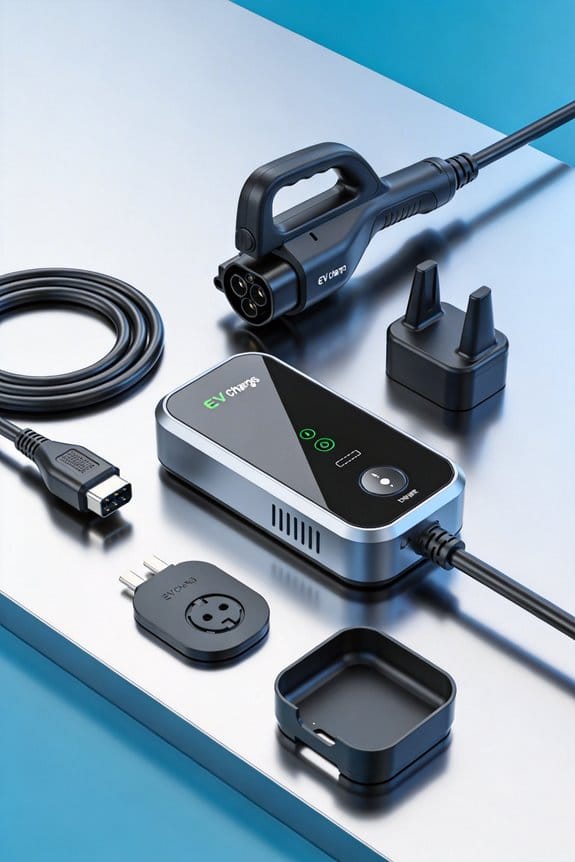
As an Amazon Associate, we earn from qualifying purchases. Some links on this site are affiliate links at no extra cost to you. Our recommendations are based on thorough research and editorial judgment.


What the Shift to NACS Means for EV Drivers in [year

We’re seeing NACS replace CCS in 2026, so we’ll have a single, smaller 5‑pin plug that works for both AC and DC charging. It slides in easier, stays locked, and cuts cable clutter at home and in garages. The plug’s solid lock reduces bumps, and the wall unit takes less space. Power‑line communication lets chargers adjust power in real time, giving smoother sessions and fewer pauses. Most new EVs now ship with native NACS, and adapters let older cars use the new stations. If we keep going, we’ll see where to find native NACS chargers and how costs change.
Key Takeaways
- NACS’s single‑piece, 5‑pin design simplifies charging by replacing separate AC and DC plugs, cutting plug‑swap time at public stations.
- The smaller, lock‑secure connector reduces cable clutter and tangling in garages, freeing wall space and improving safety.
- Power‑line communication (PLC) in NACS‑enabled chargers enables real‑time dynamic throttling, delivering smoother, faster charging sessions.
- NACS‑to‑CCS adapters are widely supported, but drivers should verify adapter cleanliness, pin alignment, and PLC compatibility before use.
- Network apps now filter for native NACS stations, and lower infrastructure costs may translate into reduced per‑kWh pricing and off‑peak savings.
What Is NACS and How It Changes Everyday Plug‑In for EV Drivers
You may be interested



Ever tried to park your EV in a tight spot and wrestle with a bulky charger plug? The new North American Charging Standard (NACS) swaps the old CCS connector for a smaller, single piece that handles both AC and DC power. It slides in easier, and because it has fewer moving parts, it tends to last longer. Here’s what that means for you day‑to‑day:
Home load management
- NACS lets the charger talk to your home’s power system and set safe limits.
- That keeps your circuit balanced and stops overloads before they happen.
Public stall etiquette
- With just one connector, you won’t waste time swapping plugs.
- You can step away faster, leaving the stall free for the next driver.
Safety
- The new plug has a solid lock that stays put while you charge.
- It’s built to stay connected even if someone bumps the cable.
Frankly, the switch feels like a small but handy upgrade. Try this: when you pull into a public station, give the single connector a quick check before you start charging—no need to hunt for a second plug. Worth knowing: the tighter design also means less chance of the cable getting tangled in a cramped garage.
Why the New 5‑Pin NACS Plug Is Better Than CCS at Home and on the Road
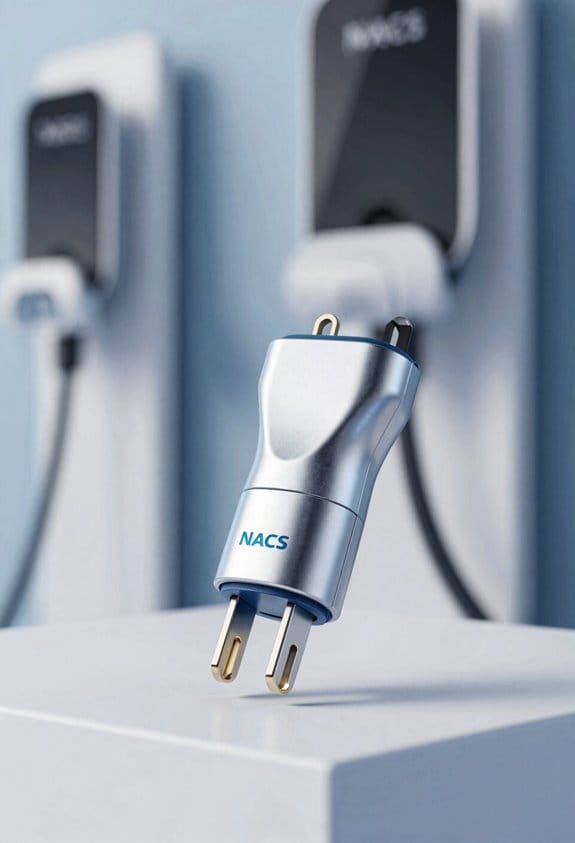
Ever tried to juggle a bunch of chargers in a cramped garage? That mess can make even a quick plug‑in feel like a hassle. The new 5‑pin NACS plug cuts that clutter and speeds up your routine, whether you’re at home or on a road trip.
Why NACS beats CCS:
- Smaller size – fits in tight parking spots and inside vehicle consoles.
- One connector – handles both AC and DC, cutting down on extra parts.
- Less wiring – fewer cables mean cleaner garages and fewer tripping hazards.
Practical tips:
- Install a NACS wall unit at home; it occupies less wall space.
- Use the same plug for fast‑charging stops; you won’t juggle multiple connectors.
Frankly, the single‑port design replaces the bulkier CCS combo, so you’re dealing with fewer cables and adapters. That means fewer chances of a tangled mess and more room for the things you actually need in the garage.
Worth knowing: When you pick a charging spot, look for the tighter NACS plug—its compact shape slides right into tight spaces without crowding the area. You’ll notice the difference the first time you park in a snug spot.
Try this: Mount the wall unit a few inches higher than your old charger. The extra clearance helps keep the cord out of the way when you step back, and it makes the whole setup look tidier.
If you’re already on the road, you’ll appreciate that the same plug works for both AC and DC charging. No more swapping adapters or hunting for the right cable at a station. It’s a small change that makes a big difference in convenience.
Recommended Products

Charge with Confidence: ChargePoint builds reliable, flexible EV charging stations for home, business, and fleets. Get 24/7 support and access to hundreds of thousands of North American charging locations.

【50Amp Level 2 EV Charger】 The ELECQ EV Charger provides fast, efficient charging with hardwired installation, offering up to 48 miles of range per hour and a maximum output of 50 amps (depending on your EV's specs and breaker capacity). Adjust the current via the Elecq App. The SAE J1772 connector works with all North American EVs (Tesla's NACS needs an adapter).

Introducing the Emporia Pro Level 2 EV Charger
Which Vehicles and Brands Already Support NACS in 2026
Ever felt stuck hunting for a charger that actually fits your plug? You’re not alone. A growing number of automakers now ship models with the new NACS inlet, so you can pull into a Tesla Supercharger without a clutch.
Ford – The F‑150 Lightning comes straight from the factory with a native NACS inlet.
Mercedes‑Benz – In the U.S., the EQS includes the NACS plug as standard.
General Motors – Chevrolet Bolt EV, GMC Hummer EV, and Cadillac Lyriq all feature NACS.
Rivian – Both the R1T and R1S support the new connector.
Hyundai – The Ioniq 5 and Ioniq 6 now have NACS versions.
BMW – The iX and i4 are NACS‑compatible.
Honda – The Prologue adopts NACS as well.
These brands cover trucks, SUVs, and sedans, giving you plenty of choices. If you drive a pickup, the Ford F‑150 Lightning lets you charge at Tesla stations without a dongle. For a luxury sedan, the Mercedes‑Benz EQS offers the same convenience. The lineup keeps expanding as more makers follow the SAE J3400 standard.
Frankly, the biggest benefit is the extra flexibility you get on long trips. You won’t have to plan around a handful of non‑Tesla chargers. Instead, you can pull into any Supercharger and keep moving. Worth knowing: the NACS inlet is now a standard feature on many new models, so you don’t need an adapter to tap into the growing network.
Try this: when you’re shopping for an EV, check the spec sheet for “NACS‑ready” before you decide. It’s a small detail that can save you a lot of hassle later.
How to Use a NACS‑to‑CCS Adapter: Step‑by‑Step Guide
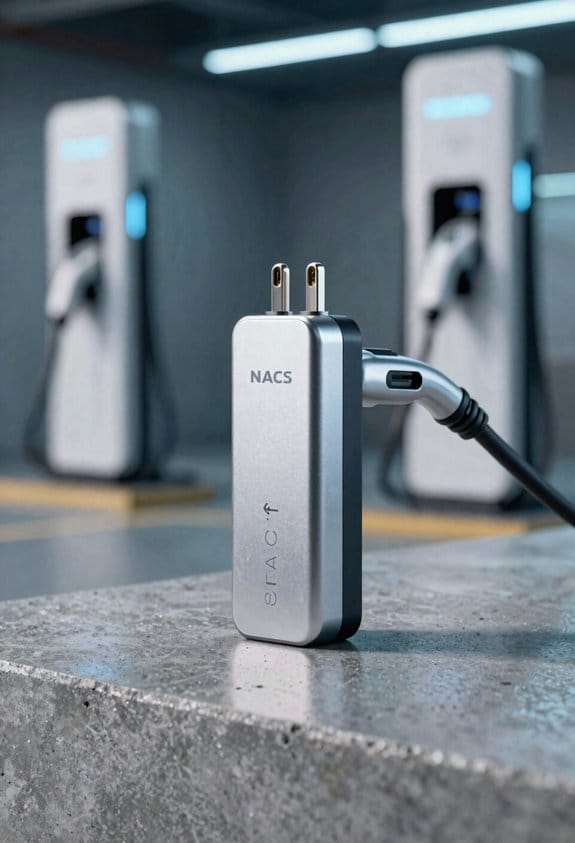
If you’ve ever pulled up to a Supercharger with a non‑Tesla EV and felt stuck, you’re not alone. A simple NACS‑to‑CCS adapter can get you charging without a lot of fuss, but a little know‑through helps you avoid hiccups.
Step‑by‑step checklist
- Verify the adapter is clean and the pins line up.
- Secure the NACS plug into the Supercharger.
- Attach the CCS plug to your vehicle’s inlet.
- Confirm the app shows a stable connection.
- Begin the charge session.
Maintenance tips
Keep the adapter dry and store it in a cool place when you’re not using it. Check for any wear before each plug, and note any damage so you can claim warranty if needed.
Emergency procedures
If charging stops, unplug both ends and give them a quick look. Use the charger’s emergency stop button if you need to cut power fast.
Frankly, a quick visual check can save you a lot of time. Worth knowing: always make sure the pins are straight before you plug anything in.
Got any other tricks for making adapters work smoother? Let’s hear them.
Recommended Products

UNIVERSAL COMPATIBILITY: Seamlessly transitions between NACS and J1772 connectors, accommodating all major North American EVs including Tesla Vehicles

No Adapter Needed: Charge your Tesla or any vehicle requiring the NACS connection. Emporia's new NACS-specific ev charger works just like the Tesla charger, including remotely opening your Tesla charging port door at the press of a button.

Tesla Supercharger Compatibility: Works with compatible Tesla Superchargers across the US and Canada for convenient charging access. Use the NACS DC adapter with DC fast chargers only and do not attempt to use the adapter with an AC charger
Where to Buy Reliable NACS‑to‑CCS Adapters
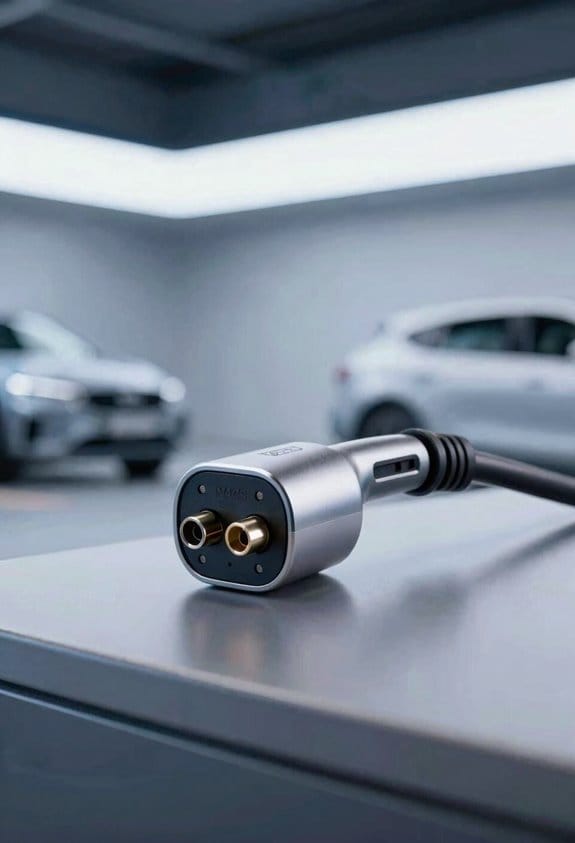
Ever tried plugging your car into a charger and got stuck because the plug didn’t match? It’s a hassle that many EV owners face, especially when you need a NACS‑to‑CCS adapter that actually works.
First, head over to the official Tesla shop. The site lists certified vendors who sell approved adapters, so you’re less likely to end up with a cheap knock‑off. Next, check out big EV retailers like ChargePoint and Electrify America. They usually carry adapters that come with third‑party warranties, which can save you money if something goes wrong.
Online marketplaces – Use the “Certified vendors” filter and read the warranty details before you click “Add to cart.”
Specialty EV stores – Ask the staff to confirm the adapter meets SAE J3400/2 standards; they’ll often have the exact model you need.
Manufacturer websites – Look for direct‑sales pages that include third‑party warranties, and compare the terms with what you find elsewhere.
Frankly, the best way to avoid surprises is to compare price, warranty length, and return policy before you buy. This helps you feel confident that the adapter will work safely with both NACS and CCS chargers.
Try this: write down the three most important things you need—price, warranty, and return policy—then tick each off as you browse. It’s a simple habit that keeps you from getting stuck with a bad purchase.
You’ll probably wonder if it’s worth paying a bit more for a certified adapter. The answer is usually yes, because a reliable adapter can protect your car’s charging port and keep you on the road.
Got a favorite retailer you trust for EV gear? Let us know in the comments!
Recommended Products

CCS1 to CHAdeMO fast charging adapter, suitable for DC fast charging.
![Lectron NACS to CCS Electric Vehicle Adapter with Interlock - (500A/1,000V) - Compatible with Tesla Superchargers - CCS1 EV Fast Charging with Vortex Plus [Check Automaker for Compatibility] - UL 2252](https://m.media-amazon.com/images/I/310Iflz5lIL._SL500_.jpg)
ACCESS TESLA SUPERCHARGERS NATIONWIDE - Unlock 25,000+ V3 and V4 Tesla Superchargers. This NACS to CCS adapter enables non-Tesla EVs with Supercharger access to easily connect to the Tesla fast charging network
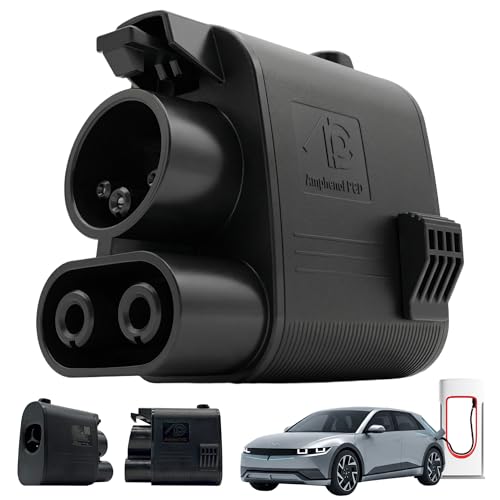
Charge Your Non-Tesla EV at Tesla Superchargers – Compatible with Ford F-150 Lightning, Mustang Mach-E, Rivian R1T/R1S, Chevy Equinox EV, Cadillac Lyriq, Volvo EX40/EX90, Polestar 2/3, and other CCS1 vehicles with Supercharger access through their automaker
What Does Power‑Line Communication Mean for Faster, Safer Charging?
Ever tried plugging in your EV and watching the meter crawl while the car stays cool? That slow‑poke feeling can be a real hassle, especially when you’re in a hurry. The trick lies in power‑line communication (PLC), which lets the charger and car talk over the same cable that delivers electricity. This real‑time chat shares voltage, temperature, and state‑of‑charge info, so the charger can adjust on the fly. If the battery warms up or the grid gets busy, the charger throttles back just enough to keep things safe, then ramps up again when conditions improve. The result? A smoother, quicker charge without the dreaded overheating.
Benefits of PLC
- Faster data exchange
- Precise power control
- Early fault detection
How dynamic throttling works
- Monitor battery temperature
- Reduce current when needed
- Resume full power once safe
Frankly, the best part is that you don’t need any extra wires or gadgets—just the right NACS‑to‑CCS adapter and a charger that supports PLC. Worth knowing: once the system is set up, you’ll notice fewer pauses and a steadier flow of power, which translates to less time waiting at the pump.
Follow these steps, and you’ll enjoy reliable, safe charging. Ready to give your EV a faster, cooler boost?
Where to Find Native NACS Chargers on the Fast‑Charging Network
Ever tried pulling up a charger only to discover it’s a CCS plug when your car needs NACS? It’s a frustrating stop‑and‑go that can ruin a road trip. Luckily, many networks now sport both the 5‑pin NACS and CCS, and you can spot them with a few simple tricks.
Network apps – Open the ChargePoint, Electrify America, or EVgo app and turn on the “NACS” filter. The map will highlight stations that have the right plug for your ride.
Web maps – Search on Google Maps or PlugShare and keep an eye out for the NACS icon next to the station name. It’s a quick visual cue that saves you a detour.
Station signage – When you pull up, look for the 5‑pin symbol on the charger housing. The sign is usually right above the plug area, making it hard to miss.
Key areas
- Urban hubs: Downtown stations often have both CCS and NACS plugs, so you’re likely to find one close to where you live or work.
- Rural coverage: NEVI‑funded sites and highway rest stops are now adding native NACS units, giving you more options on long drives.
Frankly, the best way to avoid a dead‑end is to double‑check the station details before you head out. That way you won’t waste time hunting for an adapter or a different charger.
Try this: Pull up the charger app, set the filter, and then glance at the station’s photo gallery. A quick look at the plug shape in the pictures can confirm you’re good to go.
Keep these tips handy, and you’ll spend less time searching and more time on the road. Ready to hit the highway with confidence?
Recommended Products

【Compatible Vehicles】 This Tesla V2L discharge power share device is specifically designed for Tesla Tesla Model Y/3/S/X manufactured after January 2020 with a factory-installed CCS2 charging port.

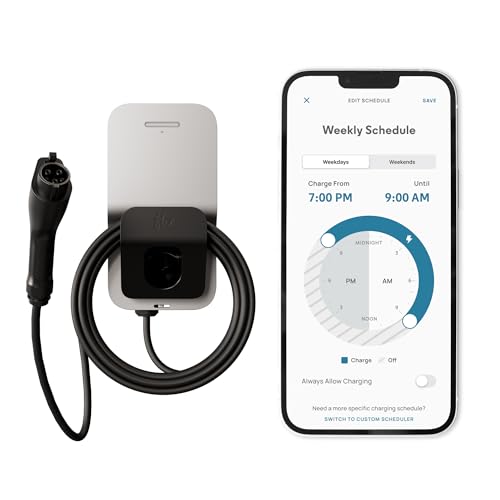
INSTALL WITH CONFIDENCE: The Enphase HCS-50 EV Charger, formerly known as ClipperCreek, delivers award-winning durability and reliability. Installation is quick and straightforward—connect it to a dedicated 50 Amp circuit by any licensed electrician.
How Switching to NACS Changes Your Charging Costs
Finding a NACS charger near you isn’t hard, but you’re probably wondering how the switch will hit your wallet. Let’s break down the three things that actually affect what you pay: charging fees, dynamic pricing, and infrastructure costs that cover maintenance.
Charging fees – Most networks still charge by the kilowatt‑hour. NACS stations usually keep the same per‑kWh rate as CCS, so you won’t see a big jump in the bill.
Dynamic pricing – Some operators change rates based on time of day or demand. NACS lets you pull the same data, meaning you can pick cheaper off‑peak slots when they’re available.
Infrastructure costs – Building NACS plugs is cheaper than CCS, and many operators pass those lower capital expenses on to you.
Maintenance charges – Simpler connectors mean less wear, so stations may lower or even drop extra fees.
Recommendations
- Check price tables before you plug in.
- Use apps to schedule off‑peak sessions.
- Compare total cost per mile across networks.
Fair warning: If you ignore the pricing details, you could end up paying more than you expect. Try this: keep an eye on the operator’s website for any hidden fees before you head out.
Got any tips on saving on NACS charging? Share them below!
Recommended Products

Level 2 Charging Performance – Provides up to 50A of power for fast charging; adds approximately 32 miles of range per hour at 40A using a NEMA 14-50 plug.

Charge with Confidence: ChargePoint builds reliable, flexible EV charging stations for home, business, and fleets. Get 24/7 support and access to hundreds of thousands of North American charging locations

Up to 9X Faster Charging Speed: The IYILO electric vehicle charging station delivers up to 46 miles of range per hour at 48A (11.5kW) via hardwired installation (60A breaker & licensed electrician required). Current is adjustable in 1A increments from 6A to 48A. Charges up to 9 times faster than a standard Level 1 charger
How to Future‑Proof Your EV With New NACS Features
Ever wonder if your EV will still plug into new chargers next year? The trick is to make sure the car’s software stays up‑to‑date, so you can grab any fresh NACS features without a hassle.
Start by checking that your EV’s software can receive OTA updates for the latest NACS communication protocols. This guarantees you can access new power‑share features and stay compatible with future chargers.
- Keep software updates current.
- Use manufacturer apps to download patches.
- Set automatic updates when possible.
- Confirm that updates do not void coverage.
- Ask dealers if hardware changes affect the warranty period.
- Allows adapters without rewiring.
- Get notified when stations add NACS upgrades.
Frankly, staying on top of updates is the easiest way to avoid being left behind. Worth knowing: a quick glance at your car’s settings each month can save you a lot of trouble later.
Frequently Asked Questions
Will NACS Chargers Support Bidirectional Vehicle‑To‑Grid (V2G) Services?
We can confirm NACS chargers will support vehicle‑to‑home and fleet integration for V2G services, enabling bidirectional power flow, smarter grid interaction, and broader utility for both personal and commercial electric vehicles.
Will NACS Affect My Ev’s Warranty or Insurance Premiums?
Think of it as a seamless bridge: we assure you that NACS won’t trigger warranty transferability issues, and insurers typically make only minor insurance adjustments, if any, for the new connector.
Are There Any Differences in Charging Speed Between NACS and CCS for the Same Vehicle?
We’ve found that NACS’s connector standards and charging protocols usually match CCS’s power limits, so the speed is comparable on the same vehicle; any differences stem from network load or firmware, not the plug itself.
How Will NACS Impact the Resale Value of Older Ccs‑Only EVS?
We’ll see older CCS‑only EVs dip slightly in resale value, as buyers favor NACS‑ready models; but strong battery compatibility and widespread adapter adoption soften the hit, keeping them still marketable.
Will Public Chargers Display NACS Availability in Real‑Time on Navigation Apps?
We’ll see real‑time availability of NACS stations integrated directly into navigation apps, letting you locate open chargers instantly and plan routes without guessing which plugs are present.