As an Amazon Associate, we earn from qualifying purchases. Some links on this site are affiliate links at no extra cost to you. Our recommendations are based on thorough research and editorial judgment.

Why EV Lifestyle Content Is Expanding Beyond the Car Itself

We see EV lifestyle content growing because cars now act as smart‑home hubs, stream media, and link to wider services. 1. AI cabin assistants let us control lights, thermostats, and locks right from the vehicle. 2. Integrated streaming offers movies and music even offline, with voice‑free hands‑free. 3. Expanding fast‑charging networks make long trips reliable, and apps now plan routes with charging buffers. 4. New battery tech adds range and cuts charge time, supporting flexible travel. 5. Fleet electrification and subscription features improve shared‑mobility options and lower costs. 6. Privacy tools let us limit voice‑data sharing. 7. Grid integration lets us charge during cheap‑rate windows and even feed power back. Continue for deeper insights.
Key Takeaways
- AI cabin assistants now integrate with smart‑home systems, turning vehicles into mobile control hubs for lights, thermostats, and locks.
- Expanding charging networks and trip‑planning apps enable seamless coordination between driving, home energy management, and grid services.
- Subscription‑based OTA features let owners add comfort, safety, and entertainment functions, blurring the line between car and lifestyle services.
- Shared‑mobility fleets and ride‑hailing platforms provide real‑time battery data and eco‑friendly routing, extending the EV experience to urban travel.
- Content creators focus on holistic EV living—energy‑saving habits, home‑grid integration, and personalized in‑car entertainment—to engage users beyond vehicle performance.
AI‑Powered Cabin Assistants Turn Electric Vehicles Into Smart‑Home Hubs
You may be interested


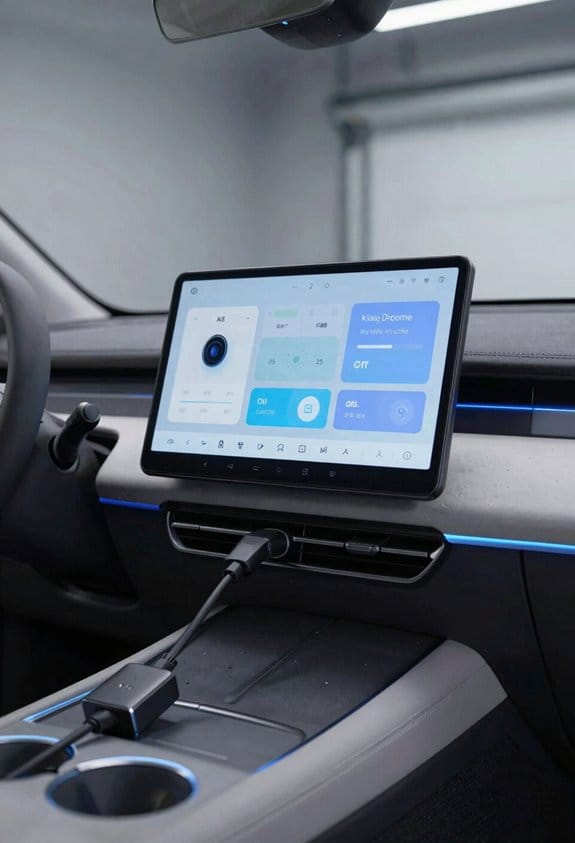
Ever walked into your car and wished the lights and temperature were already set just the way you like them? I felt the same way until I linked my EV’s cabin assistant to my home devices. Now the car knows when I’m heading home, what temperature I prefer, and even the playlist I’m in the mood for. All the voice data stays private because the assistant processes commands right in the car and encrypts anything that needs to go out.
How to set it up:
- Pair the cabin assistant with your home Wi‑Fi.
- Enable voice‑privacy mode in settings.
- Assign each driver a profile for context awareness.
Benefits:
- You can control lights, thermostat, and locks without lifting a finger.
- The system adjusts the climate and lighting based on who’s in the seat and the time of day.
- Your voice data stays secure, never leaving the car unencrypted.
Frankly, the biggest win is how it learns your routine. It remembers when you usually leave for work and pre‑cools the cabin, so you step in to a comfortable space. If you have multiple drivers, each profile keeps things personal—no more fighting over the thermostat.
Worth knowing: the assistant works offline for most commands, so even if your phone’s dead you still get the basics. The only time it reaches out is when you ask it to control something that lives outside the car, like turning on the porch lights.
Try this:
- Open the app on your phone, tap “Add Home Device,” and follow the prompts.
- In the cabin assistant menu, toggle “Voice‑Privacy Mode.”
- Create a profile for each driver, then set preferences for temperature, lighting, and music.
You’ll notice the car adjusting the interior as soon as you sit down, and the lights at home flicker on just as you pull into the driveway. It feels like the car and house are finally talking to each other, making your day a little smoother.
Give it a go and see how much easier your mornings become. Ready to let your car do the heavy lifting?
Recommended Products
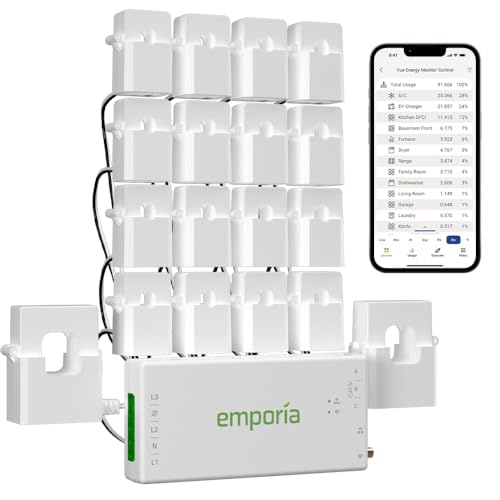
SAFETY YOU CAN TRUST WITH UL CERTIFICATION: With Emporia Energy, your home energy monitoring is safe, reliable, and certified. The Emporia Vue is UL Listed, meaning it has met rigorous safety standards for electrical products in the U.S. and Canada. This certification ensures that every component has been thoroughly tested to prevent hazards, such as overheating, short-circuiting, or fire, offering you peace of mind as you manage your home’s energy consumption.

99.5% PARTICLE FILTRATION – Effectively captures up to 99.5% of dust, pollen, air pollution particles, pet dander, and other airborne debris before they enter the vehicle interior.

High-quality: The DT Wiring Harness Extension Kit made of 16 Gauge flexible strand copper wire, ABS 2-pin Socket, High quality PA66 nylon and PVC insulation tube protect the whole harness from overheat and can bear high temperature up to 120°C, make the extension Kit durable wear-resisting
How Streaming Services Reshape Electric‑Vehicle Infotainment
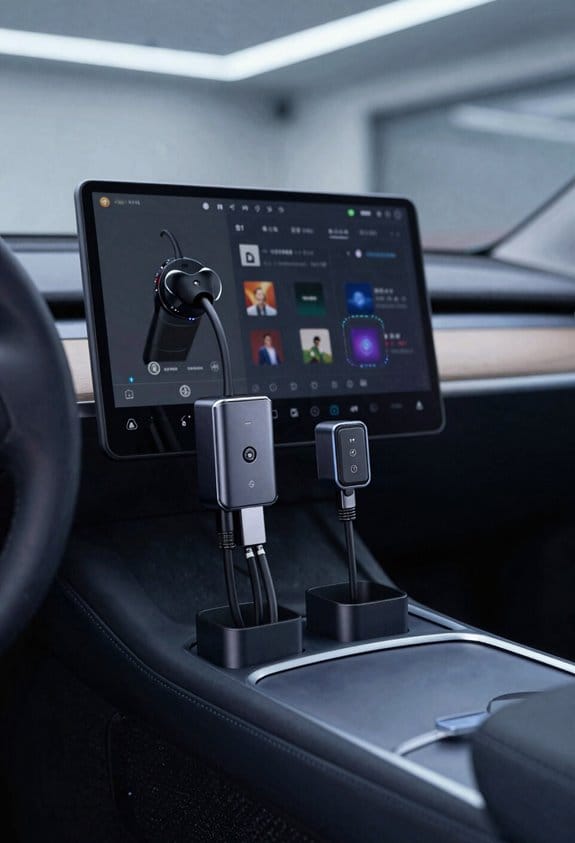
Ever found yourself stuck in traffic, craving a good show but stuck with a tiny phone screen? That feeling is all too common for EV drivers who want the same binge‑watch vibe they get at home, but safely on the road. The good news is that streaming services are now built right into many electric‑car dashboards, so you can pull movies, music, and podcasts straight from the cloud without juggling a device. It feels like a living‑room session, except the car throws in safety cues when you need to pay attention to the road.
Frankly, the trick is to treat your car’s infotainment like a portable media hub. First, pick a service that lets you download content for offline use—this way you won’t lose the show when you drop into a dead‑zone. Next, turn on automatic quality adjustment so the system eases back on data when you’re on a shaky cellular connection. Finally, set a “quiet mode” that pauses playback whenever traffic alerts pop up, keeping your ears free for crucial sounds.
Here’s the trick: use voice commands to switch shows or songs while you drive. A simple “Hey, play the next episode” lets you stay hands‑free and eyes on the road. You’ll find that a quick spoken command works just as well as tapping a screen, and it’s far safer.
Worth knowing: these steps keep entertainment smooth and safe, turning every trip into a flexible media experience. You’ll get the same Netflix‑style flow you love at home, but with built‑in safety features that keep you alert.
Recommended Products

Al in One Unit, Many Roles: This Android head unit functions as a stereo, dashcam, safety m0nit0r, Wi-Fi hotspot, HDMI display, IoT hub, GPS Navigation and more. It integrates nearly all the car tech you need for driving into a single, streamlined system

COMPATIBILITY: Fits for all Ford/Lincoln cars factory comes with 8inch MyFord Touch SYNC2 system. Replace part number JL3T-14G370-HKB. With the latest SYNC 3.4 software and NA222 map data for USA and Canada. Support Ford Carplay and Android auto.

PERFECT FIT & PLUG-AND-PLAY INSTALLATION – Designed specifically for Dodge RAM 1500, 2500, 3500, 4500 & 5500 trucks (2019-2024 New Body Style). This stereo seamlessly integrates with your factory system, supporting original audio, amplifier, steering wheel controls, seat heating/cooling, factory cameras, and radar—no complex wiring required.
Expanding Charging Networks Redefine Electric‑Vehicle Travel Planning
Ever tried to plan an EV road trip and felt the stress of finding a charger before the battery dies? I’ve been there, and the good news is the network is finally catching up. With fast‑charging stations sprouting up in city centers and suburbs, you can map your route with far more confidence than a few years ago.
Key steps for destination planning****
- Identify fast‑charging clusters along the highway.
- Check each station’s power rating (kW) and availability.
- Add a buffer of 10‑15 minutes for each stop.
Tips
- Use a single map that shows both public and private chargers.
- Prioritize stations with multiple ports to reduce wait time.
- Update your vehicle’s navigation weekly for new locations.
Frankly, the biggest mistake people make is treating every charger like a regular gas pump. A quick glance at the kW rating can tell you whether you’ll be sipping a coffee or waiting for a full charge. And if you’re traveling through a busy metro area, look for places that have several ports; you’ll avoid the dreaded line‑up.
Worth knowing: most apps now let you filter by charger type, so you can skip the low‑power spots that would leave you stranded. I’ve started adding a 10‑15 minute buffer to each stop, and it’s saved me from scrambling for a coffee shop when the charger was busy.
If you want a smoother ride, try this: pull up a map that layers both public and private stations, then plot your stops around the high‑power clusters. It feels like you’re getting a little extra range for free, and the anxiety drops dramatically.
Recommended Products

[All-Scenario Power] - Apex 300 (2764.8Wh, 3840W) keeps homes lit, RVs rolling & off-grid sites running. Parallel 2-3 units (5.5-8.3kWh), expand to 58kWh with B300K. Never powerless.

【Top-Flight Performance 】The 51.2V 100Ah liFePO4 battery is manufactured by 16Pcs Automotive Grade A grade prismatic cells with higher energy density, more stable performance & greater power. And has a compact 5.12kWh energy, which is equivalent to 4pcs 12V 100Ah LiFePO4 batteries in 4S (or even 8pcs 12V 100Ah AGM batteries in 8S). Fully compliant with the UL1973 safety standard and certified by Intertek ETL for reliable safe operation.

【Robust 12kW Split Phase Power & 15.36kWh LiFePO4 Storage】: Experience seamless energy with a 48V 12kW all-in-one hybrid inverter supporting 120/240V split phase output, paired with a high-capacity 48V 314Ah (15.36kWh) LiFePO4 battery, ensuring reliable power for all your home and RV appliances.
Next‑Gen Battery Breakthroughs Boost Electric‑Vehicle Lifestyle Flexibility
Ever feel like you’re stuck at a charging station and missing out on the road? That frustration is what most EV owners know too well. The good news is that the newest battery tech is starting to make those long waits a thing of the past, and it’s not just hype.
Energy density is finally climbing, giving you roughly 20‑30 % more miles on a single charge. That extra range can turn a weekend getaway into a stress‑free adventure. At the same time, thermal management systems are getting smarter, shaving about 40 % off typical charge times. In practice, you’ll find yourself pulling into a fast‑charging spot and being back on the road in half the time you’re used to.
- Choose models with solid‑state cells for reliable long trips.
- Pair fast‑charging stations with your route planner to cut stops.
Frankly, the best way to make the most of these improvements is to stay on top of the specs. Look for a battery warranty that covers at least eight years or 100 k miles—those numbers give you a solid safety net. When you plan your daily commute, weekend trips, or quick errands, you’ll notice a big difference in how often you have to stop.
Worth knowing: a good route planner can automatically suggest the fastest charging stations along your way, so you won’t have to hunt for a spot while your battery’s low. This little habit can save you both time and anxiety.
If you’re ready to upgrade, start by checking the latest model releases and read a few user reviews. Real‑world feedback often highlights how the new batteries perform under everyday conditions, not just in the lab.
What’s the next step for you—keeping an eye on the upcoming releases or heading to a dealership to test drive a model with the new battery?
Fleet Electrification Raises Expectations for Electric‑Vehicle Shared Mobility
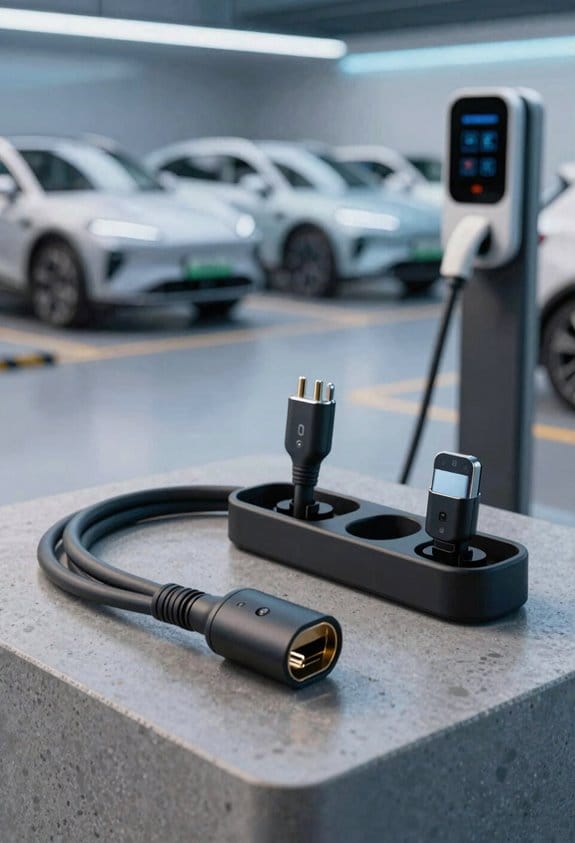
Ever get stuck waiting for a ride that’s out of juice?
You’re not alone—many of us have been stuck in that spot, watching a car pull away while the driver checks a dead battery. The good news is that electric‑vehicle shared mobility is getting a lot easier to use, and you can start taking advantage of it right now.
Fleet size grows – Companies are adding more electric vans and cars to hit their emission targets. You’ll see more options popping up on your app, especially in big cities where the demand is high. This means you won’t have to wait as long for a ride, and you’ll have a better chance of finding a clean‑energy vehicle when you need one.
Charging stations – Fast chargers are popping up near office parks and downtown hubs. When you book a ride, the app often shows you how close a vehicle is to a charger, so you can feel confident it won’t run out of juice halfway through your trip. It’s a small detail, but it makes a big difference in your day‑to‑day experience.
Cost savings – Electric fleets cut fuel costs and need less maintenance, which usually translates into lower fares for you. You might notice a slight price drop compared to traditional rides, and the savings add up over time. Plus, the quieter engines mean a smoother ride, which is a nice bonus.
User experience – Riders love the quiet ride and the instant booking you get from the apps. You can see the battery level right in the app, so you know how far the car can go before it needs a charge. It’s a simple feature, but it helps you plan your trips without any surprises.
Recommendations
- Choose a service that shows real‑time battery levels.
- Look for apps that let you reserve a vehicle near your route.
- Prefer fleets that partner with local clean‑energy utilities.
Try this: When you open your ride‑hailing app, filter for electric vehicles and check the battery indicator before you confirm. It’s a quick step that can save you from a dead‑end ride.
Frankly, the shift to electric shared rides is already happening, and you can be part of it today. Have you tried an electric ride yet? Let us know how it went!
Subscription Features for Electric Vehicles: Value, Costs, and OTA Updates
Ever wondered why your electric car feels like a gadget you can upgrade piece by piece? You’re not alone—many drivers are trying to figure out how to get the most out of those add‑on features without blowing their budget.
Value
- Subscriptions let you add heated seats, premium sound, or advanced driver assist.
- Feature monetization lets manufacturers charge only for what you use.
Costs
- Monthly fees range from $5 to $30 per feature.
- Total cost depends on how many features you keep active.
OTA Updates
- OTA delivers new functions without a dealer visit.
- Firmware transparency shows which changes affect performance or security.
Recommendations
- Review each feature’s benefit before subscribing.
- Track monthly fees to avoid surprise expenses.
- Check OTA notes for firmware transparency and confirm updates improve your driving experience.
Frankly, the best way to stay in control is to treat each subscription like a snack you’d buy—only grab what you really crave. Worth knowing: set a reminder each month to glance at your bill, so you can pause anything that isn’t worth it. Got a favorite feature you can’t live without? Let us know how it’s changed your ride!
Privacy Risks of AI Assistants in Electric Vehicles
Ever wonder why your car’s voice assistant feels like it’s listening to everything you say? You’re not alone—those “Hey, navigate to work” moments can turn into a detailed diary of where you go, who you call, and what you talk about at home. The data gets logged, and often it ends up on a server far away, which means you lose control over who sees it. Even a stray “Hey, car” can start recording a private chat you never meant to share.
What to do:
- Review privacy settings in the vehicle app.
- Disable continuous listening when not needed.
- Choose a provider that stores data locally.
- Opt‑out of data sharing for marketing.
- Regularly delete voice logs.
Frankly, the easiest fix is to turn off the always‑on mic when you’re not using it. Most apps let you toggle a “listen only when pressed” mode, and that alone cuts down on accidental recordings. If you’re okay with a bit of voice control, pick a brand that keeps the recordings inside the car’s own storage instead of sending them to the cloud.
Worth knowing: you can also set a timer for how long the logs stay on the server. Some manufacturers let you auto‑purge data after 30 days, which is a good balance between convenience and privacy. Just make sure you check the schedule regularly—nothing beats a quick glance in the settings to keep things tidy.
If you’ve ever felt uneasy hearing a voice command echo back to you later, you’re probably wondering how to keep that data safe. The answer isn’t to ditch the tech altogether; it’s to take a few simple steps so the car hears only what you want it to hear.
Try this: open the vehicle’s companion app, head to the privacy tab, and flip the “store locally” switch. Then set the voice‑log retention to the shortest period you’re comfortable with. Finally, make a habit of clearing the logs once a month—just a few taps, and you’ll keep your personal routes and conversations private.
Do you think you’ll give these tweaks a try? It’s a small effort that can keep your car’s AI from becoming a nosy neighbor.
Future Trends: Electric Vehicles in Broader Digital Ecosystems
Ever feel like your electric car is just sitting there, while everything else in your home talks to each other? It’s easy to let that happen, but you can actually turn your EV into a handy hub that works with your smart‑home gear, city services, and the power grid.
Connect EVs to smart‑home hubs
- Use voice assistants to set charging times.
- Sync climate control with home thermostats.
Join city‑wide mobility platforms
- Share parking availability in real time.
- Access shared‑ride options directly from the dashboard.
Leverage grid‑integration services
- Participate in demand‑response programs.
- Earn credits for feeding stored energy back to the grid.
Frankly, the best part is that you don’t need a tech degree to get started. First, make sure your car’s app can talk to your home Wi‑Fi and to the voice assistant you already use. Then, enable the “home sync” feature so the car knows when you’re home and can pre‑heat or cool the cabin without you lifting a finger.
Try this: set a charging schedule that lines up with your low‑rate electricity window, and you’ll see a noticeable drop in your monthly bill.
If you’re curious about how your car can help the neighborhood, think about joining a city mobility platform. Those apps often let you see open spots in public garages and even book a shared ride right from your dash. It’s a small step that makes city travel feel a lot smoother.
Worth knowing: many utilities now offer demand‑response programs that pay you for letting the grid use your car’s battery during peak times. Sign up, and you could earn a few extra dollars each month just by letting the grid draw a little power when it needs it most.
You’ve got the tools—now it’s up to you to link them together. Ready to make your EV a smarter part of your everyday life?
Frequently Asked Questions
How Do EV AI Assistants Handle Emergency Medical Situations?
We act fast—“prevention is better than cure.” Our AI assistants perform automated triage and remote diagnostics, instantly alerting emergency services, sharing critical signs, and guiding passengers through life‑saving steps.
Can Subscription Features Be Transferred Between Different EV Owners?
We can usually transfer subscription features if the manufacturer’s transferability policies allow it, but we need to check each provider’s license portability rules before moving the account to a new EV owner.
What Impact Do EV Charging Habits Have on Home Solar Panel Efficiency?
We’ve found that aligning your charging schedule with peak solar output boosts inverter interaction efficiency, reduces unnecessary battery cycling, and lets your home panels deliver more clean energy while keeping the EV ready when you need it.
Do AI Cabin Assistants Support Multiple Language Translations in Real Time?
We’ll tell you: yes, our AI cabin assistants handle real‑time, multilingual translations, staying context‑aware while preserving privacy—so you can converse instantly, no matter the language, without compromising your data.
How Are Vehicle Data Rights Regulated Across International Borders?
We tell you that data sovereignty limits how cross‑border access to vehicle data is handled, requiring local compliance, treaties, and often explicit user consent before any foreign entity can process that information.